AI Ad Maker for Halloween: Generate Video Ads in Minutes
A freelance marketer spent four hours hunting for royalty-free horror music, two hours cutting stock footage, and another hour exporting to four different aspect ratios—all to produce a 20-second Halloween promotion for a local boutique. The next week, she discovered an AI halloween ad maker that generated the entire spot from a 3-sentence brief in 25 minutes.
That gap—four hours versus twenty-five minutes—is the practical value of AI in seasonal advertising today.
An AI halloween ad maker is a software tool that uses artificial intelligence models to generate complete video advertisements from text prompts or product images, formatted for seasonal Halloween deployment. The AI handles script generation, visual scene creation, audio composition, and platform-specific formatting automatically—without requiring prompt engineering expertise, video editing skills, or separate subscriptions to half a dozen different tools. Platforms that track the AI creative tool landscape closely, like Framia Pro, have made AI ad generation for seasonal campaigns a core workflow within their ad video creation ecosystem.
How AI Models Power Halloween Video Ad Generation
Think of an AI halloween ad creator like a production team you can brief in plain English. You don't tell a production team: "Set the f-stop to 2.8 and use a three-point lighting rig." You say: "We want it to feel dramatic but not scary—like a luxury horror aesthetic." The AI translation layer works the same way: natural language in, polished video out.
Behind the input, multiple AI models run in sequence. A language model interprets the brief and generates a script with three-act structure. An image generation model creates scene visuals from storyboard descriptions. A video generation model animates those scenes with appropriate motion and pacing. An audio model adds seasonal music and sound effects matched to the tone. The output is a cut that would have required a director, cinematographer, colorist, and sound designer to produce manually—and it arrives in minutes rather than days.
In 2026, the leading video generation models available through AI ad creation tools include Seedance 2.0, Kling 3.0 Omni, Sora 2 Pro, and Veo 3.1—each with distinct visual signatures. Choosing the right model for the right halloween aesthetic (cinematic horror vs. playful family vs. luxury spooky) has become a creative decision, not a technical one.
What to Look for in an AI Halloween Ad Generator
Not all AI ad generators are equal for seasonal campaigns. The difference between a general-purpose video tool and a purpose-built AI halloween ad creator is like the difference between a Swiss Army knife and a chef's knife: both cut, but one is engineered for a specific job.
Full-SOP pipeline. The best AI halloween video ad tools handle the complete workflow—script to storyboard to main shot to B-roll to audio to export—not just one step. Tools that only generate isolated video clips require you to assemble, cut, and mix externally, which reintroduces most of the production time you were trying to eliminate.
Multiple AI video model access. Halloween aesthetics vary enormously by brand and audience. An AI video ad maker for a luxury skincare brand needs cinematic, atmospheric output (Sora 2 Pro, Veo 3.1). One for a children's costume retailer needs playful, bright motion (Kling 3.0). Having access to multiple models from a single platform—rather than a single model with a fixed visual style—is the difference between hitting the right aesthetic and forcing your campaign into a style that doesn't fit.
Storyboard-level regeneration. Generating and praying—running a full video generation and hoping every shot lands—wastes time. Look for AI halloween video ad creators that let you regenerate individual shots within an existing storyboard rather than restarting the entire generation sequence.
Multi-format export. Halloween campaigns typically run across TikTok (9:16), Instagram (9:16 or 1:1), Facebook (1:1 or 16:9), and YouTube (16:9). An AI ad creator that exports all formats from a single session eliminates the need to generate four separate versions of the same concept.

AI Halloween Ad Maker: Tool Comparison
| Tool | AI Model Variety | Full Pipeline | AI Audio | Storyboard Editing | Multi-Format Export |
|---|---|---|---|---|---|
| Framia Pro | High (10+ models) | ✅ | ✅ Suno v5 | ✅ Timeline Editor | ✅ 9:16 / 16:9 / 1:1 |
| Runway | Single model | Partial | ❌ | Partial | Partial |
| Pika | Single model | Partial | ❌ | ❌ | Partial |
| InVideo AI | Template-based | Partial | Limited | Limited | ✅ |
| AdCreative.ai | Static-focused | ❌ | ❌ | ❌ | Partial |
The critical column is "Full Pipeline." Tools that score Partial or ❌ require moving between platforms for scripting, audio, and export—reclaiming most of the time advantage AI was supposed to provide.
Framia Pro: AI Ad Maker Built for Halloween Campaigns
Within Framia Pro's Ad Video skill, the AI halloween ad creation flow runs as a complete SOP rather than disconnected generation steps. Input a brief—product, offer, tone, platform—and the workflow canvas activates a sequence: script agent, storyboard agent, image generation, video clip generation, B-roll, BGM, and sound effects. Every node connects in a single canvas view; there's no exporting from one tool and importing to another.
For halloween AI video specifically, Framia Pro provides access to over ten generation models—including Seedance 2.0, Kling 3.0 Omni, Sora 2 Pro, and Veo 3.1 Fast—each selectable per scene in the storyboard based on which visual style fits the moment. The Storyboard Timeline Editor targets a single shot that isn't working and regenerates it without disrupting the rest of the cut. Add Suno v5 for AI-generated seasonal music and ElevenLabs v3 for voiceover, and the AI halloween ad maker pipeline outputs a broadcast-ready halloween spot—in every required format—without a single external tool. For teams running under seasonal deadlines, the difference is producing one halloween ad in a day versus producing twelve.
How to Generate Halloween Video Ads with AI in 5 Steps
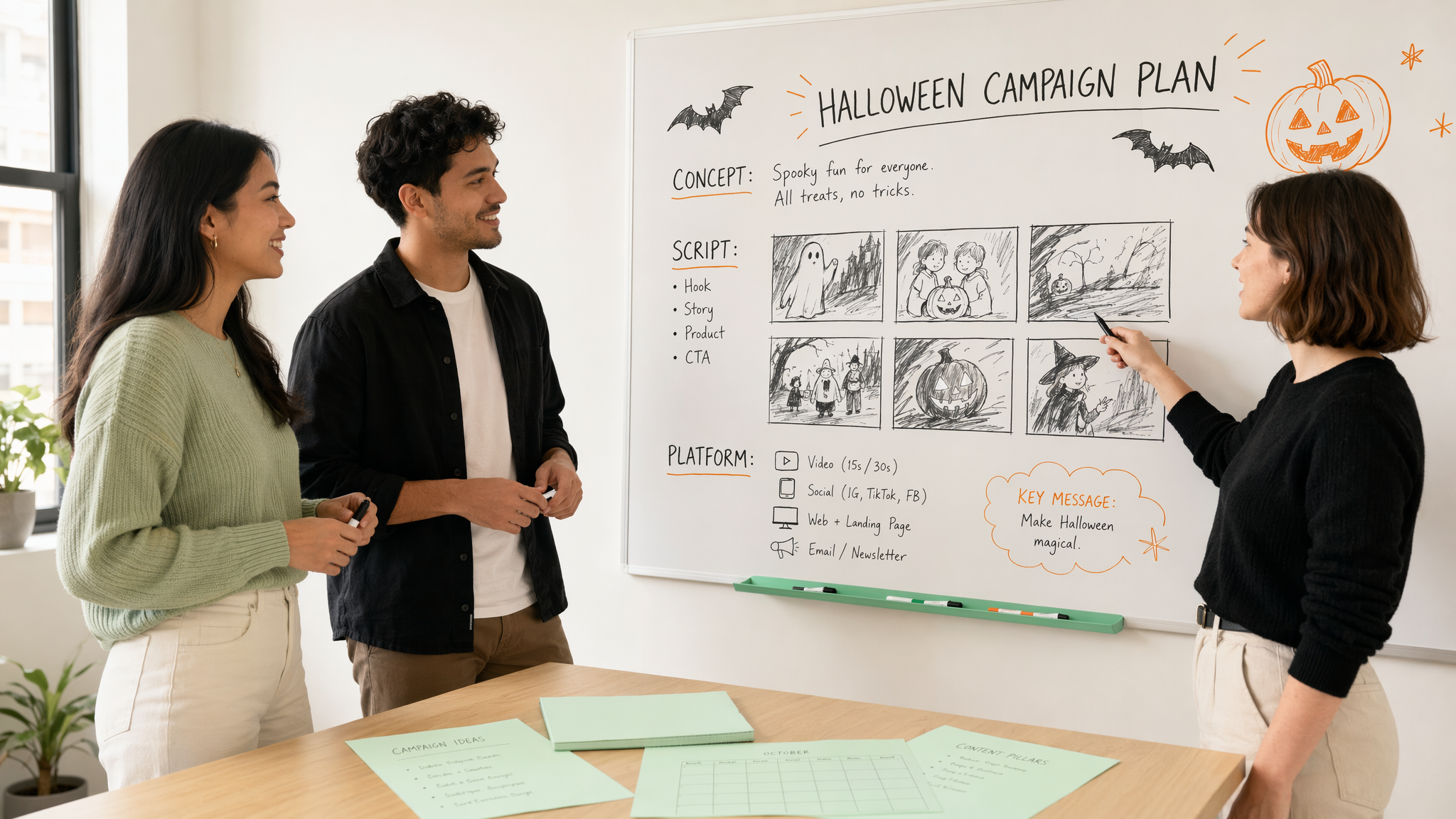
Step 1 — Write a three-sentence brief. Sentence one: the product and who it's for. Sentence two: the Halloween offer or event. Sentence three: the desired tone. Example: "We sell artisan candles for home décor enthusiasts. We're running a Halloween sale—40% off for the last week of October. Tone: atmospheric, luxurious, slightly mysterious." Not sure how to structure the script from there? Framia Pro's AI script generator can take that brief and produce a full hook-body-CTA Halloween script automatically — before the video generation pipeline even starts.
Step 2 — Specify platform and duration. TikTok/Reels: 15–30 seconds, 9:16 vertical. YouTube: 15–30 seconds, 16:9 horizontal. Facebook: 30–60 seconds. Decide before generating—the AI structures pacing and cut rhythm to match the platform format.
Step 3 — Generate and select the model. For cinematic or luxury halloween aesthetics: Sora 2 Pro or Veo 3.1. For dynamic high-energy motion: Kling 3.0 Omni. For fast generation with strong visual quality: Seedance 2.0. For rapid iteration: Seedance 2.0 Fast. Select per scene in the storyboard, not per whole video.
Step 4 — Review the storyboard frame by frame. Does the offer appear clearly in the final act? Is the first frame compelling enough to stop the scroll? Regenerate any problem shot individually—don't restart the entire generation.
Step 5 — Add audio and export all formats. Generate or select seasonal music, then confirm the output using the video ad creator export settings—9:16, 16:9, and 1:1 in one session. Your spot should be publication-ready for every platform simultaneously.
FAQ
How does an AI halloween ad maker differ from a template-based tool?
A template-based tool (like Canva or InVideo in template mode) starts with a pre-built visual structure you edit by swapping in your text and images. An AI halloween ad maker generates the structure, visuals, script, and audio from scratch based on your brief. The output is custom to your brand rather than recognizable as a shared template that other brands are also running.
What information should I include in an AI halloween ad brief?
At minimum: product category, target audience, specific offer or event, tone (horror, playful, luxury, family), and target platform. Optionally: product images, brand colors, and existing brand voice guidelines. The more specific the brief, the more relevant the AI-generated halloween video ad output.
Can AI-generated halloween ads match human creative quality?
For social media formats—TikTok and Instagram Reels in particular—AI-generated halloween ads using models like Seedance 2.0 and Kling 3.0 Omni in 2026 produce output that meets or exceeds mid-budget production quality. For broadcast channels (TV, OTT streaming), human creative direction combined with AI-assisted production is the more common approach as of 2026.
How many halloween video ads should I generate for an A/B test?
Start with a minimum of two creative variants per platform—different hooks or different visual styles—and let the platform algorithm optimize delivery for 3–5 days before drawing conclusions. AI generation tools make it feasible to produce six to twelve variations in a single session, enabling broader testing than traditional production timelines allow.
What AI models produce the best halloween visual aesthetic?
Based on 2026 model benchmarks: Sora 2 Pro and Veo 3.1 for cinematic, high-fidelity halloween aesthetics (dark, atmospheric, luxury). Kling 3.0 Omni for dynamic action and character-consistent motion sequences. Seedance 2.0 for fast generation with strong visual quality. Seedance 2.0 Fast when speed is the priority over maximum output quality.
Start Small, Iterate Fast, Win Halloween
The October window closes on October 31 and doesn't reopen. Brands that wait for the "perfect" halloween campaign usually find themselves publishing on October 28 with three days to convert.
The better approach: generate a first halloween video ad this week, test it, and use the data to improve. AI halloween ad generation makes this practical—your first spot can be live in under an hour. The creative risk is low. The seasonal deadline is fixed. Framia Pro runs the full AI halloween ad pipeline—script, storyboard, video, audio, export—start to finish.