Most Facebook Reels don't fail because the creator lacks a good idea. They fail because the AI video prompt behind them was vague — three words typed in a hurry, hoping the model would fill in the gaps. It usually doesn't. Framia Pro users who get consistent, scroll-stopping results almost always share one habit: they treat the prompt itself as the first draft of the video, not an afterthought.
An AI video prompt is simply the written instruction you give a generation model — subject, action, setting, style, and pacing — that tells it what to render. For Facebook Reels specifically, that instruction also has to account for a 9:16 vertical frame, a viewing window that's often under 60 seconds, and an audience that decides whether to keep watching within the first two seconds. Get the prompt structure right, and the AI does most of the heavy lifting. Get it wrong, and you'll spend more time regenerating clips than actually posting.

Why Vague Video Prompts Waste Your Render Budget
Think of a video prompt like a recipe handed to a line cook who has never met you. "Make something tasty" gets you an edible but generic dish. "Pan-sear a 6 oz salmon fillet skin-side down for four minutes, finish with lemon and capers" gets you the dish you actually pictured. The model behind your Facebook Reel works the same way — it can only render what you specify, and it will confidently guess at everything you leave out, including camera angle, lighting, and how long each beat should last.
This is why two creators can use the same AI reel generator and get wildly different output quality. The tool isn't the variable — the prompt is. A one-line prompt might take three or four regenerations to land on something usable, while a structured prompt often nails the shot on the first or second try, saving both render credits and editing time.
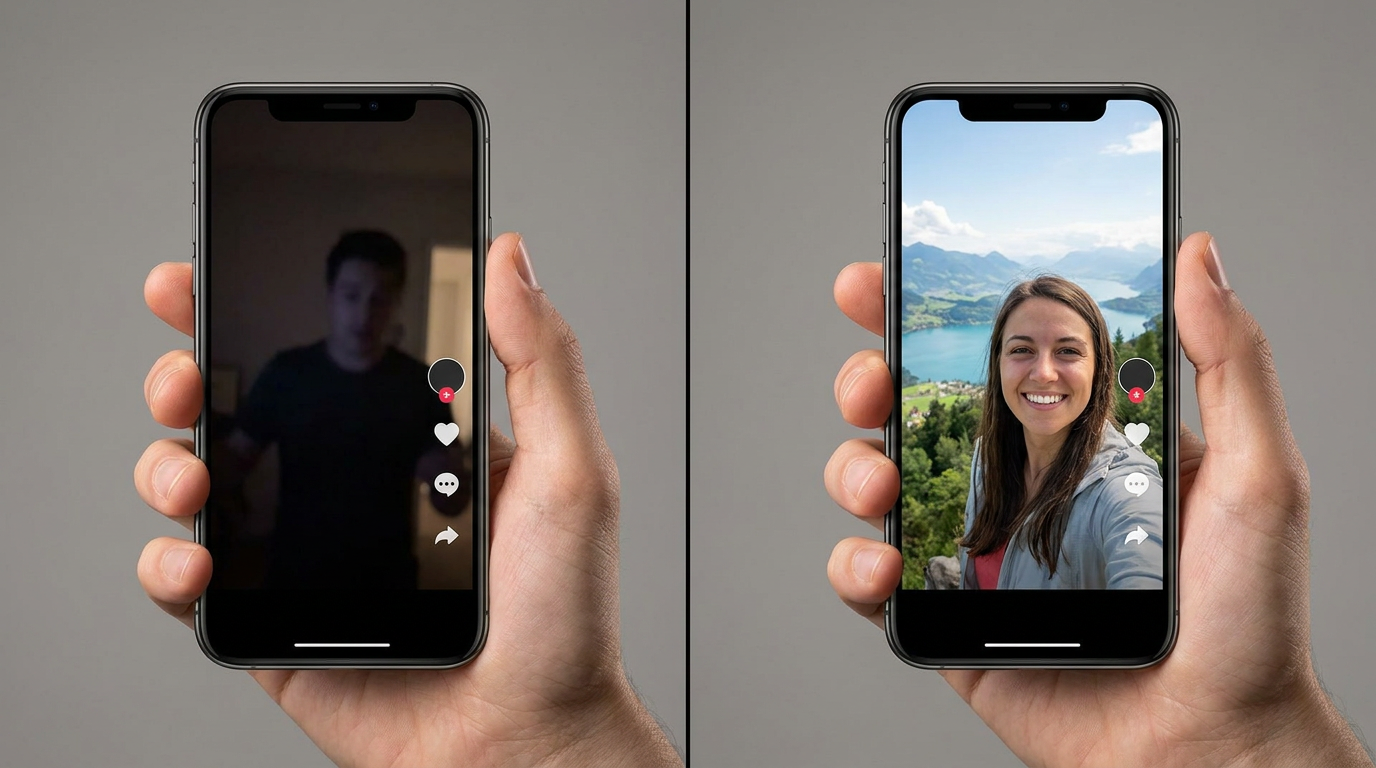
The Anatomy of a High-Converting Video Prompt
A reliable prompt reads less like a caption and more like a shot list a cinematographer would hand to a crew. Five elements do most of the work:
- Subject — who or what is on screen (a barista, a sneaker, a golden retriever)
- Action — what's physically happening, described in verbs, not adjectives
- Setting — the environment and time of day
- Style — the visual treatment (handheld documentary, glossy product shot, retro film grain)
- Pacing/duration — how many seconds the beat should hold before a cut
Stack those five in order and you've effectively written a mini storyboard in one sentence. For example: "A barista steams oat milk in a sunlit café, handheld documentary style, quick cut at 3 seconds to the finished latte art." That single line gives the model enough constraint to produce a consistent, on-brand clip instead of a generic stock-footage feel.
AI Video Prompt Tools Compared for Facebook Reels
Not every generator interprets a structured prompt the same way. Here's how a few common options handle the essentials creators care about for Reels-length content:
| Tool | Max clip length | Prompt structure support | Auto captions | Direct Reels-ratio export |
|---|---|---|---|---|
| Native phone camera + manual edit | No AI limit | None (manual only) | No | Manual crop |
| General-purpose AI video generators | Varies by model, often 5-10s per clip | Freeform text only | No | Manual crop |
| Framia Pro | Built for short-form, multi-clip sequencing | Structured prompt fields + freeform | Yes | Yes, native 9:16 |
The takeaway isn't that any one tool is "best" in the abstract — it's that prompt structure only pays off if the generator can actually parse it and output in the ratio you need without a separate cropping step. Framia Pro's AI Reel Maker is built around that exact handoff, turning a structured prompt into a ready-to-post clip without a manual reframing step, so it's worth trying that workflow before you commit to a tool.
Framia Pro's Approach to AI Video Prompts
Framia Pro was built around one idea: most creators don't want to become prompt engineers. They want a workflow that turns a rough idea into a publish-ready Reel.
Instead of a single freeform text box, Framia Pro breaks a prompt into guided fields for subject, action, style, and pacing. Behind the scenes, those fields get assembled into the structured instruction the underlying model actually needs, so you get sharper subject consistency and fewer wasted regenerations without memorizing prompt syntax.
From there, captions, scene transitions, and 9:16 export are handled automatically once the base clip is generated. The prompt is the only creative step left for you to think about, which is what keeps output consistent for creators publishing several Reels a week instead of hit-or-miss.
How to Make a Reel on Facebook: 5 Steps From Prompt to Publish
- Define the subject and setting first. Write one clear sentence naming who or what is on screen and where. Avoid pronouns like "it" or "someone" — name the subject explicitly.
- Add action and camera movement. Describe what physically happens (steams milk, laces up shoes, unboxes a package) and whether the camera is static, handheld, or panning.
- Specify style and mood in three words or fewer. "Warm documentary style" or "bright product-shot lighting" gives the model a clear visual target without over-constraining it.
- Generate with a Facebook Reels–ready tool. Run the prompt through an AI shorts generator that natively exports vertical 9:16 clips, so you skip the manual reframing step entirely. If the tool also works as an AI Reel Maker, the same prompt structure carries over, so one prompt can feed more than one platform.
- Review pacing before publishing. Trim so the hook lands in the first two seconds, then add captions for sound-off viewing before posting to Reels.

30+ Video Prompt Ideas for Facebook Reels
Use these as starting templates — swap in your own subject and setting:
Product & e-commerce: unboxing close-up, 360-degree product spin, before/after comparison, "what's in the box" flat lay, product-in-use lifestyle shot, size comparison next to a common object, packaging close-up with steam or condensation, hand model demonstrating texture.
Hooks & openers: a subject turning to face camera mid-action, a door opening to reveal a scene, a countdown overlay with a punchline reveal, a slow zoom into a surprising detail, text-on-screen question paired with a visual answer.
Behind-the-scenes: a workspace time-lapse, a tool or ingredient being prepped, a raw clip with visible imperfections for authenticity, a split-screen of process versus result.
Trend-style formats: a rapid outfit or scene change on a beat drop, a "day in the life" montage of five quick cuts, a POV walk-through, a side-by-side reaction shot.
Educational/tips: a step-by-step demo with on-screen numbers, a mistake-then-fix sequence, a close-up of a technique with a slow-motion beat, a myth-vs-fact split frame.
Each of these works as a prompt skeleton — plug in your subject, action, and setting, and the structure from the section above does the rest.

Turning Prompts Into a Repeatable Reels Workflow
Writing a good AI video prompt is a skill that compounds — the more consistently you structure subject, action, setting, style, and pacing, the less time you spend regenerating clips that miss the mark. If you want that structure built into the tool itself instead of remembered from scratch each time, Framia Pro's guided prompt fields and native Reels-ratio export are worth a look.
FAQ: Writing Video Prompts for Facebook Reels
Do I need to know prompt engineering to make good Facebook Reels?
No. A structured approach — subject, action, setting, style, pacing — covers most of what prompt engineering guides teach, without needing technical vocabulary. Tools like Framia Pro further simplify this by breaking the prompt into guided fields.
How long should a video prompt be for a Reel?
One to two sentences is usually enough. Longer prompts can introduce conflicting instructions, which often makes output less predictable, not more.
Can the same prompt work for both Facebook Reels and Instagram Reels?
Yes, since both use a 9:16 vertical format. The main adjustment is pacing — Facebook audiences tend to give a clip slightly longer before deciding whether to keep watching, according to Meta's own creator guidance for Reels published on the Meta Business Help Center.
Why does my AI-generated clip look inconsistent between scenes?
This usually happens when the subject description changes slightly between prompts. Keep the subject description identical across every clip in a sequence to maintain visual continuity.
What's the easiest way to fix a prompt that produced a bad result?
Change one variable at a time — first the action, then the style, then the pacing — rather than rewriting the whole prompt. This isolates which element caused the unwanted output.