You spend twenty minutes dialing in the perfect Midjourney prompt, land on a shot you love, and drop it straight into your AI video tool. Three seconds into the render, the character's face has already drifted, an extra finger shows up in a close-up, and the background lighting flips direction for no reason. That gap — a great still image followed by an unstable video — is the part most "what's new in Midjourney" roundups skip entirely.
Midjourney V8.2 is the aesthetics-focused update that became Midjourney's new default model on July 24, 2026, replacing V8.1 with a bolder default look, deeper personalization, and a new Edit model for reference-based editing. Teams that track model releases across Midjourney, Seedance, Kling, and Runway — including creators who follow updates through Framia.pro — have mostly covered what changed inside Midjourney V8.2 itself. Far fewer have covered what to actually do with it once you're building video, storyboards, or thumbnails that need to survive contact with a real production pipeline.
This guide skips the feature tour and goes straight into four workflows: using Midjourney V8.2 as a first frame for AI video, locking a character across dozens of images, building a storyboard pack before you open a video model, and reverse-engineering a thumbnail before you even pick an art style.
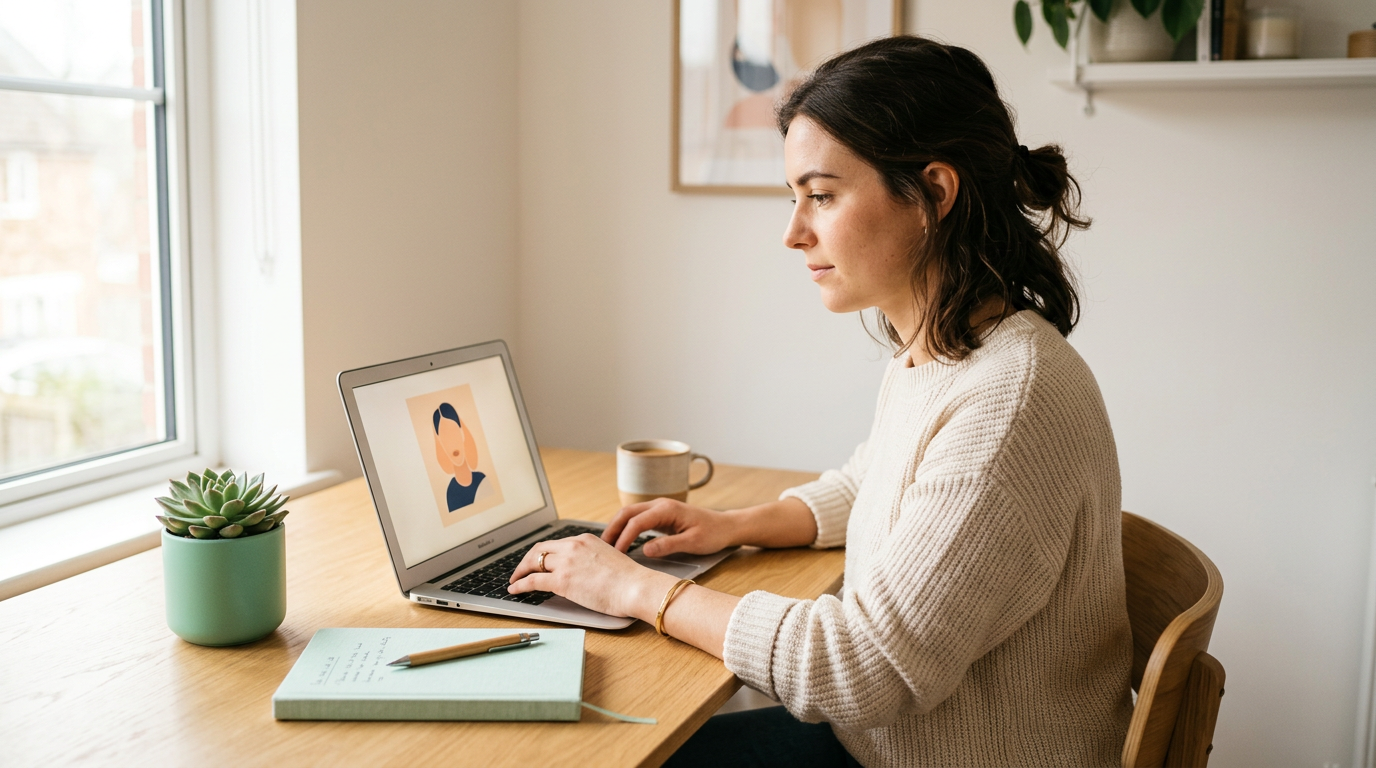
What is Midjourney V8.2? (Beyond the Basics)
Midjourney V8.2 is the current default version of Midjourney, and according to Midjourney's own version documentation, it's built around three things: sharper aesthetics, better personalization, and a unified Edit model. It's not a speed release or a prompt-adherence release — those upgrades already shipped in V8.1, and the next big adherence jump is expected with V9.
The Core Upgrade: Sharper Aesthetics & Control
To understand what V8.2 actually changed, it helps to compare it directly with V8.1, the version it replaced as default on July 24, 2026:
| Aspect | Midjourney V8.1 | Midjourney V8.2 |
|---|---|---|
| Default period | June 10 – July 23, 2026 | July 24, 2026 – present |
| Primary focus | Rendering speed and prompt adherence | Aesthetics, personalization, and editing control |
| Rendering speed | About 4–5x faster than earlier versions | Same speed as V8.1 (no regression) |
| Resolution | HD (2K) without upscaling via --hd |
Same HD option carried over |
| Reference & editing tools | Separate Omni Reference, Character Reference, and Retexture tools | Unified Edit model — up to 4 reference images in one tool |
| Personalization | Standard personalization profile | Larger, improved image pool; reads your "taste" more precisely |
| Known gap | Prompt adherence still ahead of image polish | Body coherence and prompt precision upgrades are slated for V9, not V8.2 |
The practical takeaway: Midjourney V8.2 makes your stills look more creative, bold, and sophisticated, and it makes editing them (swapping a face, changing a pose, combining two references) far easier through the Edit model. It does not claim to fully fix coherence issues — Midjourney itself frames that as V9's job. That single fact is the reason the workflows below exist.
Why V8.2 Matters for Real Production Workflows
Most Midjourney V8.2 content treats the model as the finish line: generate a pretty image, post it, move on. In an actual content pipeline — a YouTube channel, a brand's social calendar, an AI influencer account — Midjourney V8.2 is closer to a pre-production step. It sets the look, the character, and the composition before anything moves, gets voiced, or gets published. Treating it that way is what separates a one-off pretty picture from a repeatable workflow you can run every week.
Hack 1: The "First Frame" Method to stop AI Video Deformation
Why AI videos often break after the first few seconds
Most AI video deformation doesn't start in the video model — it starts with an unstable starting image. Feed a video model a reference with ambiguous anatomy, inconsistent lighting logic, or a face at an odd angle, and the model has to guess how to keep it stable as it adds motion. It's the AI equivalent of a photocopier making a copy of a copy: every generation downstream inherits and slightly amplifies whatever was already unclear in frame one.
Midjourney V8.2's sharper detail rendering and larger personalization pool make it easier to produce a clean, well-defined first frame — the input error rate is lower before it ever reaches your video tool.
Generating high-quality keyframes for Seedance and Runway
The fix is to stop treating Midjourney as the image generator and start treating it as your keyframe generator. Generate the character or scene in Midjourney V8.2 first, review it at full resolution for anatomy and lighting errors, and only then hand that single, clean frame to your video model.
What to include in a Midjourney first-frame prompt
A first-frame prompt for Midjourney V8.2 needs to do more work than a normal art prompt. Include:
- A clear camera distance and angle (e.g., "medium shot, eye-level") so the video model doesn't have to infer framing
- Explicit lighting direction ("soft light from screen left") to prevent lighting flips in later frames
- Full-body or half-body framing rather than a tight crop, so downstream models have anatomy to reference
- A short "hold" instruction for the pose — describe a static, stable pose rather than mid-motion, since a frozen mid-motion pose is often what triggers deformation when a video model starts animating it
Hack 2: The "Character Lock" Workflow for Consistent AI Characters
How to keep the same person across multiple images
Think of this the way a film production keeps continuity between takes: an actor's costume, hairstyle, and lighting are documented on set so every shot matches, even if they're filmed weeks apart. Midjourney V8.2 needs the same kind of reference sheet — a locked description plus a locked reference image — or your "same character" starts drifting after three or four generations.
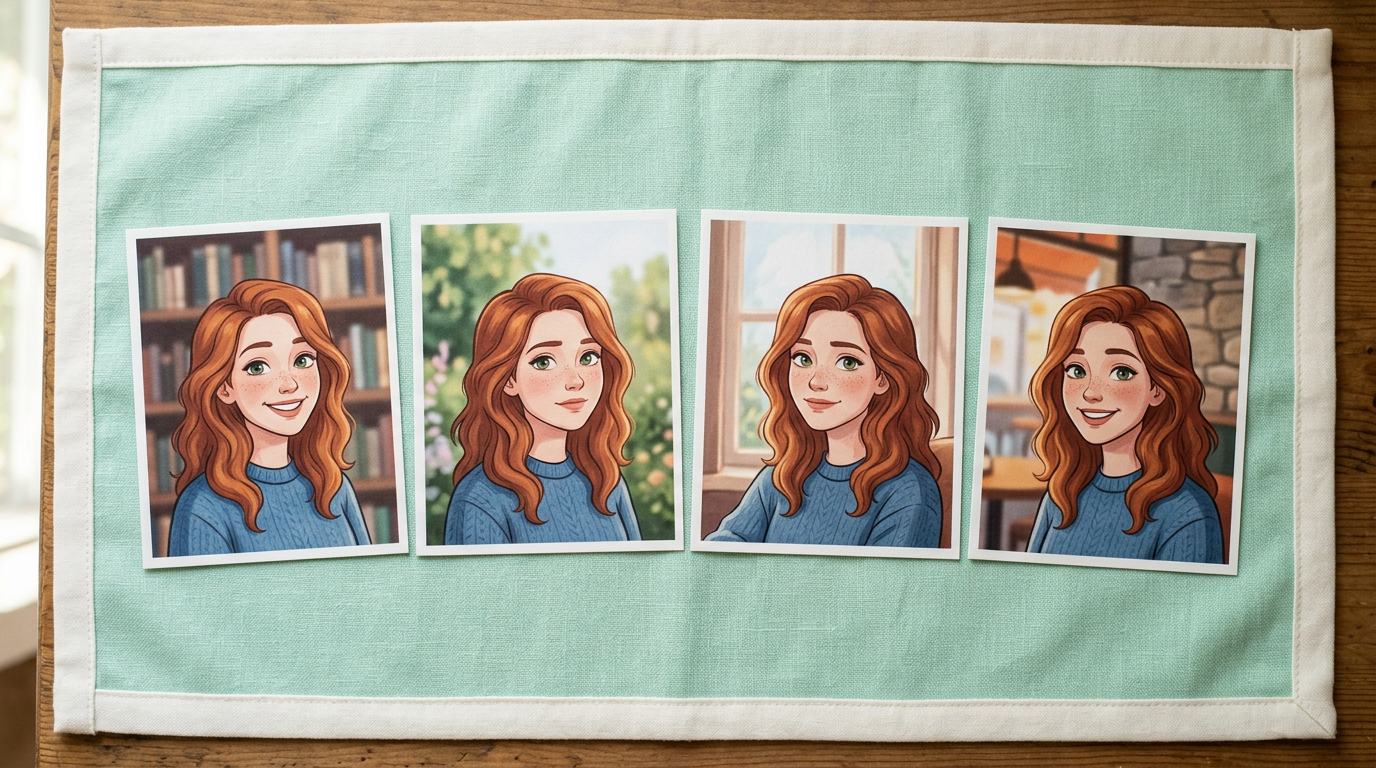
Building reusable character prompts in Midjourney V8.2
Midjourney V8.2's Edit model replaces the older Omni Reference and Character Reference tools with a single workflow that accepts up to four reference images at once. In practice, that means you can:
- Generate one strong reference image of your character in neutral lighting
- Feed that image back into the Edit model alongside a new scene description
- Keep the same wording for physical details (hair, face shape, outfit) in every prompt instead of re-describing the character from scratch each time
Reusing the exact same descriptive phrasing for a character, prompt after prompt, is what keeps Midjourney V8.2 from reinterpreting small details differently each generation.
Using consistent characters for AI influencers, storyboards, and videos
This is the workflow behind most AI influencer accounts, recurring YouTube hosts, and multi-scene storyboards: one locked character reference feeding every new image, so the same "person" can appear in a kitchen scene on Monday and a street scene on Friday without looking like two different people.
Hack 3: Build a Storyboard Pack Before Opening Seedance, Runway, or Kling
Why one image is not enough for a stable AI video
A single Midjourney V8.2 image tells a video model what one moment looks like. It doesn't tell the model what happens before or after that moment, which is exactly the information a model needs to keep motion, lighting, and character design stable across several seconds. That's why creators who generate one hero image and expect a coherent 10-second video are usually disappointed — there simply isn't enough visual information to work from.
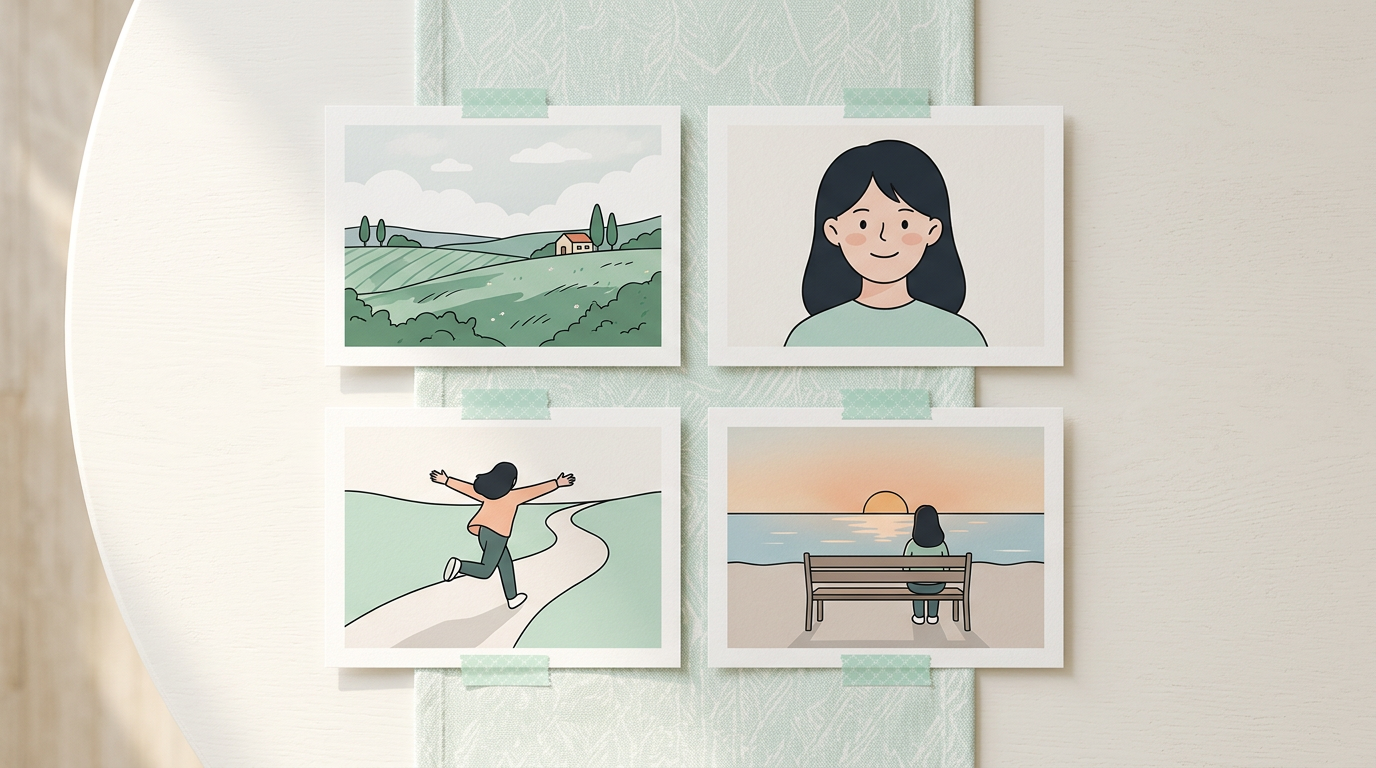
The 4-frame storyboard structure: wide shot, close-up, action, ending
Instead, generate a small storyboard pack in Midjourney V8.2 before opening any video tool:
- Wide shot — establishes the location and where the character sits in it
- Close-up — locks the character's face and expression at high detail
- Action frame — shows the key movement or gesture mid-pose
- Ending frame — shows where the scene resolves
Each tool in an AI video pipeline plays a different role once that storyboard pack exists:
| Tool | Role in the pipeline | Best suited for |
|---|---|---|
| Midjourney V8.2 | Generates the still keyframes — composition, lighting, character look | Locking the visual direction before any motion is added |
| Seedance | Converts a keyframe into motion with scene-level coherence | Cinematic camera moves, multi-shot sequences |
| Kling | Adds motion and physics from a single reference image | Product shots, action, natural movement |
| Runway | Fast iteration and camera control from an image or text prompt | Quick previews and stylized motion tests |
How to keep lighting, camera, and character design consistent
Write all four storyboard prompts in one sitting, reusing the same lighting description, camera lens language, and character phrasing across every frame. Generating them separately, days apart, is the most common reason a "storyboard" ends up with four scenes that don't visually belong together.
Hack 4: The "Thumbnail First" Workflow for YouTube, X, and Social Posts
Start with the click, not the art style
Most Midjourney prompting starts with an art direction — "cinematic," "moody," "anime." A thumbnail needs to start somewhere else entirely: what makes someone stop scrolling. Decide on the emotion and the contrast first, then let Midjourney V8.2 generate the art style around that decision, not before it.
Prompting for contrast, emotion, and empty text space
A thumbnail prompt for Midjourney V8.2 should explicitly call for:
- High subject-to-background contrast so the image reads clearly at a small size
- One exaggerated emotion on the main subject's face (shock, excitement, focus)
- A deliberately empty area — describe negative space on one side of the frame so there's room to add a title later without covering the subject
Turning one Midjourney V8.2 image into multiple social formats
A single well-composed Midjourney V8.2 image, generated with those constraints, can be cropped into a 16:9 YouTube thumbnail, a square feed post, and a vertical Story without regenerating anything — as long as the important details (the face, the contrast point) sit centrally enough to survive different crops.
Use Midjourney V8.2 Inside Framia for a Multi-Model AI Workflow
Why use Midjourney V8.2 inside a workflow platform?
Everything above — first frames, character locks, storyboard packs, thumbnail-first prompts — assumes you're moving an image between several different tools: Midjourney for the still, then Seedance, Kling, or Runway for motion, then something else again for review and export. Doing that manually means juggling logins, re-uploading the same reference image four times, and losing track of which version went where. That friction is exactly what pushes creators who track model updates toward a workspace like Framia Pro instead of switching between separate apps for every step.
Treat Midjourney as the visual starting point, not the final step
Inside Framia Pro, Midjourney V8.2 sits alongside video models in the same workspace, so a generated keyframe can be sent directly into a video test without downloading and re-uploading it. That reinforces the core idea in this guide: Midjourney V8.2 is where a shot gets designed, not where the project ends.
Let different AI agents handle prompts, video tests, and creative review
A multi-model workflow works best when different steps are handled by tools built for that specific step — one agent for refining the still prompt, another for running the video test, another for flagging inconsistencies between frames before you export anything. Framia Pro's AI image generator and AI video generator sit in one dashboard so a keyframe made in one panel can move into a video test in the next without breaking the chain.
Compare the full creative path, not just the final image
The real value of testing Midjourney V8.2 inside a platform like Framia Pro isn't a prettier single frame — it's being able to compare how the same keyframe behaves across Seedance, Kling, and Runway side by side, and keep whichever version actually held the character and lighting steady. That comparison is where most of the "deformation" problem actually gets solved, not in the original Midjourney prompt.
Best Midjourney V8.2 Prompt Templates for Each Workflow
Use these as starting structures, then adjust the bracketed details for your own subject:
First-frame template (Hack 1):
[character description], medium shot, eye-level camera, soft light from screen left, static hold pose, half-body framing, --v 8.2
Character-lock template (Hack 2):
[same character phrasing every time], [new scene/background], consistent facial features, same outfit and hairstyle as reference, --v 8.2 (used with the Edit model and your locked reference image)
Storyboard template (Hack 3):
[scene setting], wide establishing shot / close-up on [character] / [character] mid-[action] / final resting pose, consistent lighting direction, --v 8.2 (run once per frame, reusing the same lighting and character phrasing)
Thumbnail-first template (Hack 4):
[subject] with exaggerated [emotion] expression, high contrast lighting, empty negative space on [left/right] side of frame, bold simple background, --v 8.2
FAQ
Can I use Midjourney V8.2 images as first frames for AI video?
Yes. Generating a clean, well-lit keyframe in Midjourney V8.2 and feeding that single image into a video model is one of the most reliable ways to reduce deformation, since it gives the video model a clear, high-detail starting point instead of an ambiguous one.
Why do AI videos deform after starting from a Midjourney image?
Video models animate whatever is unclear in the source image, and that ambiguity compounds frame after frame. Midjourney's own documentation notes that V8.2 focuses on aesthetics and personalization, while bigger prompt-adherence and body-coherence improvements are scheduled for V9 — so a clean, well-composed first frame still matters more than the model version alone.
Why use Midjourney V8.2 inside Framia instead of using Midjourney alone?
Using Midjourney V8.2 inside Framia Pro keeps the keyframe in the same workspace as the video models that turn it into motion, so you're not re-uploading images between separate apps or losing track of which version of a shot went where.
What is the best Midjourney V8.2 workflow for YouTube thumbnails?
Start with the emotion and contrast you want before choosing an art style, describe an exaggerated facial expression and empty negative space directly in the prompt, and generate the thumbnail as its own image rather than cropping it from an unrelated shot.
How can I test Seedance, Kling, and Runway with the same Midjourney image?
Generate one clean keyframe in Midjourney V8.2, then run that same reference image through each video model inside one workspace like Framia Pro so you can compare which one keeps the character, lighting, and motion most stable before committing to a final export.
Midjourney V8.2 is a genuinely useful upgrade for anyone generating stills — but the real payoff shows up once that still becomes the first step in a video, a storyboard, or a thumbnail test, instead of the last. Treat it as the starting frame, not the finished product, and the deformation, drift, and inconsistency that usually show up downstream get a lot easier to control. If you want to test that first frame against Seedance, Kling, and Runway without juggling separate apps, Framia Pro keeps Midjourney V8.2 and every video model in one workspace.