You found the right AI model. You described your product. You hit generate. And what came back looked nothing like what you had in your head — wrong colors, stiff motion, the kind of generic output that wouldn't survive five seconds on a Shopify product page.
The problem almost never lies in the model. A weak AI video prompt is the culprit nearly every time. Writing effective product video prompts is a specific skill. Most sellers approach it the way they'd approach a Google search — a few words and hope for the best. That's not how it works. Framia Pro tracks how merchants are using AI video generation. The gap between high-performing and low-performing product clips almost always traces back to prompt quality. If you're still setting up the video side of your store while tackling prompts, the Framia Pro AI video generator covers both workflows in one place.
Why Your AI Video Prompts Are Missing the Mark
Think of giving directions to someone who has never been to your city. "Go near the big building" sends them wandering. "Turn left at the red-brick library on 5th Avenue, then walk two blocks north" gets them there. AI video generation works the same way — specificity isn't optional, it's the instruction set.
Most product AI video prompts fail for one of three reasons. First, they describe outcomes instead of setups. “A beautiful cinematic video of a moisturizer” tells the model what you want to feel — not what to actually render. Second, they skip physical context — where is the product? What surface? What light? What’s moving and what isn’t? Third, they ignore model-specific behavior. Kling 3.0 and Seedance 2.0 interpret the same words differently. Ignoring that difference means leaving quality on the table.
The 5 Elements Every AI Product Video Prompt Needs
A well-structured AI video prompt has five identifiable components. Miss any one and your output will show it.
1. Product identity. Describe your product as if explaining it to someone who has never seen it — what it is, its material, key visual qualities. "A 50ml amber glass serum bottle with a gold dropper cap" is immediately usable. "A skincare product" is not.
2. Surface and environment. Where is the product? A white Carrara marble countertop reads premium. A raw wood shelf reads artisan. A wet black stone surface reads moody. Environment is where mood lives — define it explicitly.
3. Motion direction. What moves and how? A slow 180-degree camera orbit, a dropper releasing a single bead of liquid, a pour shot from directly above — name the motion explicitly, or the model will choose for you.
4. Lighting description. Soft diffused window light, a single dramatic side light, golden-hour warmth — lighting determines whether your product looks premium or generic more than almost any other element.
5. Style reference. Cinematic, documentary, clean editorial, warm lifestyle — pick one and name it. Style anchors all the other choices and prevents the model from blending incompatible aesthetics.
A complete prompt: "50ml amber glass serum bottle with a gold dropper cap, placed on a white Carrara marble surface, camera slowly orbiting 180 degrees, soft diffused window light from the left, clean beauty editorial style." Those 35 words will consistently outperform 200 vague ones.
AI Video Prompt Templates for Shopify Products by Category
Rather than starting from scratch each time, adapt these category-specific templates. Each uses the five-element structure.
Skincare and beauty: "[Product name and packaging — bottle size, material, cap type], placed on [marble / slate / pale linen] surface, [slow camera orbit / dropper close-up / pour from above], soft diffused light from one side, clean beauty editorial style, no visible text or logos."
Apparel and accessories: "[Garment or accessory description — material, key visual feature], worn by a person [walking through a bright minimal space / turning slowly against a white backdrop], natural movement, [describe specific motion], warm natural daylight, lifestyle aesthetic."
Home goods and décor: "[Product description — material, size, function], styled on [kitchen counter / shelf / dining table] with [one or two small contextual props], slow camera push-in, warm interior light from a nearby window, cozy home lifestyle style."
Tech and gadgets: "[Product name, key materials, distinctive visual feature], placed on [matte black / light oak / frosted glass] surface, [slow reveal / button press close-up / screen lighting up], clean overhead studio lighting, sleek premium editorial style."
Framia Pro's template system lets you save a refined prompt structure and apply it across multiple SKUs with one click. No rebuilding from scratch for each product.

Kling 3.0 vs Seedance 2.0: Prompting for Each AI Video Model
The same product video prompt can produce noticeably different results depending on which model runs it. Understanding these differences helps you write prompts that play to each model's strengths.
Kling 3.0 responds well to precise, technical language. Describe camera movements in specific terms — "slow dolly push-in" or "macro close-up on embossed label." Kling interprets deliberate direction literally. That's a strength when you want polished, studio-style product videos with controlled, cinematic outputs. It also handles longer motion sequences (10–15 seconds) with strong temporal consistency.
Seedance 2.0 benefits from more natural, conversational prompt language. Instead of "camera orbiting left," try "drift slowly around the product as if captured handheld." Seedance is tuned for organic motion. Naturalistic language produces authentic, spontaneous-feeling clips — exactly what lifestyle-focused brands need.
One practical test: run the same core product description through both models. The visible difference in style and motion will teach you more about how each model reads prompts than any guide can.
Both models are included in a single Framia Pro subscription — purpose-built for different use cases, accessible without switching platforms or tracking separate credits.
How Framia Pro Helps You Iterate Prompts Faster
Testing prompts one at a time — waiting for each generation, then manually comparing outputs — is a slow loop. It compounds when you're refining across multiple SKUs or trying to match a visual identity across an entire product line.
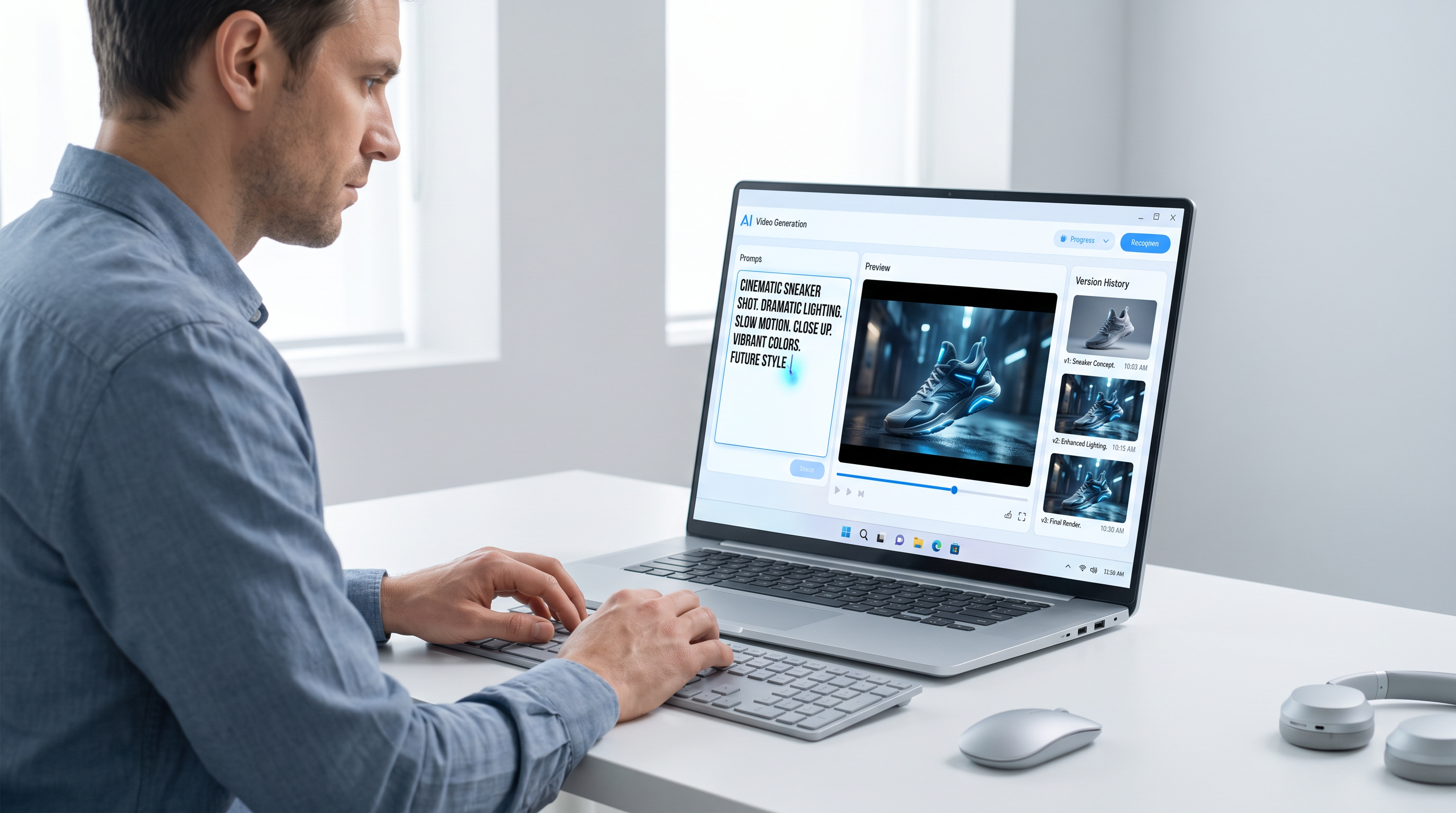
In Framia Pro, prompt iteration is built into the canvas workflow. You can queue multiple prompt variations at once and view outputs side by side. That makes it easy to identify which elements are working — without rebuilding from scratch on each run. When you find a prompt structure that works, it saves as a reusable template. Apply it across your whole catalog from there. For merchants managing video content at scale, that iteration advantage translates directly into fewer wasted generations and faster time-to-publish per product.
How to Improve Your AI Video Prompts: 5 Steps
Step 1: Write the skeleton. Build one prompt using all five elements: product identity, surface, motion, lighting, style. Don't aim for perfection — make sure every element is present.
Step 2: Generate and identify the weakest element. Look at your first output critically. Stiff motion means your motion direction was too vague. Wrong mood means revisiting lighting or style. Isolate what's off before changing anything.
Step 3: Fix one variable at a time. Change only the element you identified. This makes it clear whether your revision worked — if you change three things at once, you won't know which one mattered.
Step 4: Run the same prompt through both models. Send your refined AI video prompt through Kling 3.0 and Seedance 2.0. The model that interprets your language better will produce a noticeably stronger result.
Step 5: Save the winner as your category template. Once a prompt structure consistently produces usable output for a product type, document it. That template is your baseline for every similar SKU going forward.
FAQ
How long should an AI video prompt be?
A well-structured 40–60 word prompt with all five elements will outperform a 200-word vague description. Specificity matters more than length. If your prompt covers product identity, surface, motion, lighting, and style, it's the right length regardless of word count.
Can I use the same AI video prompt template for every product?
A template can share structure across a product category, but the product identity element must be specific to each SKU. Using the same prompt for a shampoo and a sneaker will produce the same generic result regardless of which model you use.
Should my prompt language differ between Kling 3.0 and Seedance 2.0?
Yes. Kling 3.0 responds to precise, technical motion language. Seedance 2.0 responds better to natural, descriptive phrasing. Adjust your language style based on which model you're using — the same content phrased differently can produce notably different output quality.
What should I avoid putting in a product video prompt?
Avoid conflicting style references in one prompt — "cinematic, documentary, editorial, lifestyle" all at once will pull the model in too many directions. Also avoid audio instructions (most video models generate silent output) and pricing or claim language the model can't depict visually.
How many prompt variations should I test before committing to a final version?
Three to five variations is usually enough to identify what's working. After that, additional testing produces diminishing returns. Focus each iteration on fixing the single weakest element rather than rewriting the whole prompt.
A strong AI video prompt is the foundation every good product clip is built on. Once you find a structure that works for one SKU, the same logic applies across your entire catalog. Start with one product, run it through both models using the five-element framework, and let the stronger output guide the rest of your approach.
For faster iteration across multiple prompt variations and models in one session, Framia Pro's AI video generator gives you the canvas to do it efficiently.