Every great ai product photo starts with a great prompt. Framia Pro's AI product image generator turns those prompts into commercial-grade images — but the quality of what comes out still depends on what you put in. Whether you're building a full 360 product photography set or a single hero shot, the angle you choose, the lighting style you describe, and the surface you specify all shape the final result. Yet most prompts are too vague to produce consistent, publish-ready imagery. This guide breaks down 15 angle-specific prompts you can copy, paste, and adapt. Each prompt is organized by shooting position, so you always know which view to reach for and why.
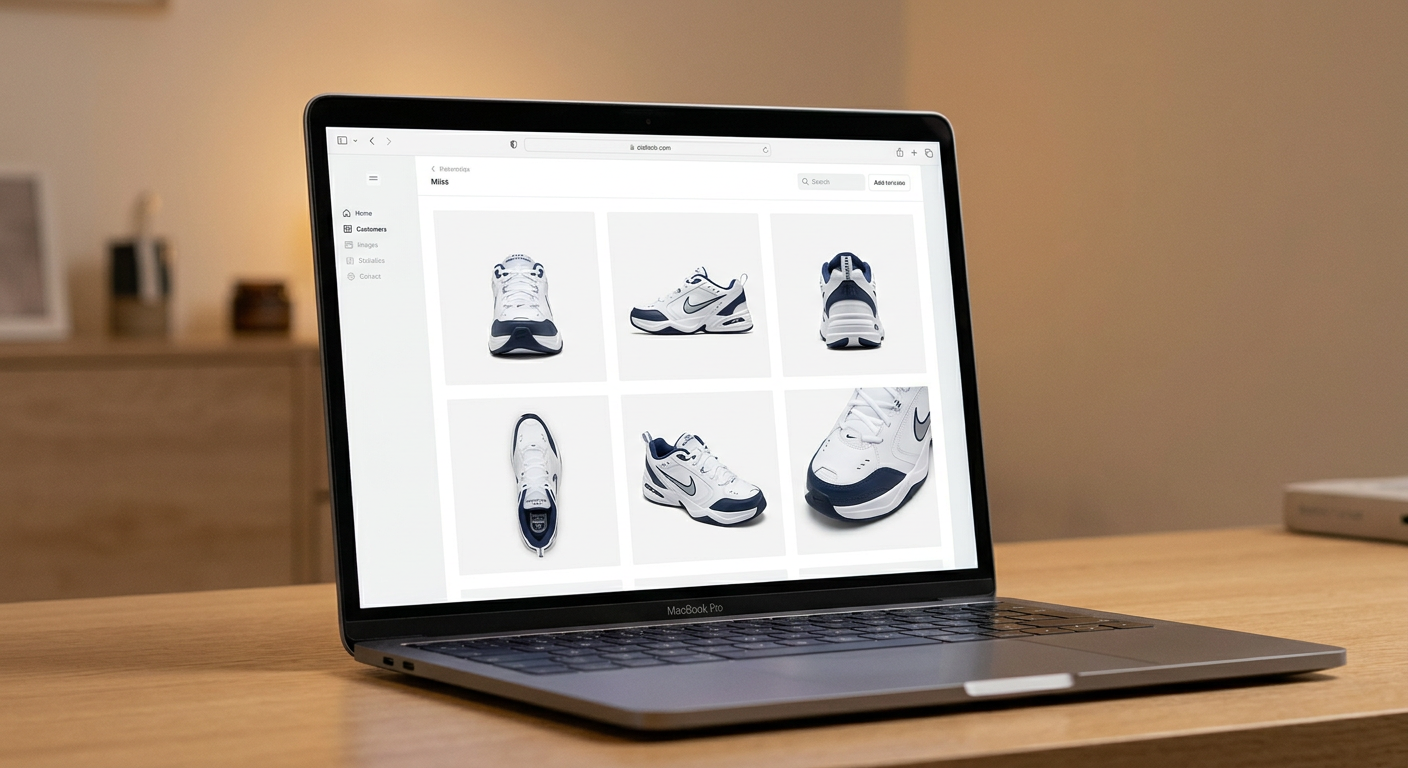
Front-Facing AI Product Photo Prompts That Convert
The front-facing view is the hero shot of e-commerce. It is the angle customers see first in search results, on product listing pages, and in ads. A well-crafted ai product photo prompt for this position should specify the exact surface, background, and lighting source.
Prompt 1 — Clean white studio: "Front-facing product photo of [product], centered composition, pure white background, soft diffused studio lighting from upper-left, sharp focus on label and branding, commercial e-commerce style"
Prompt 2 — Lifestyle context: "Front-facing ai product photo, [product] placed on a light oak shelf with soft bokeh background, warm morning window light, lifestyle brand aesthetic, no harsh shadows"
Prompt 3 — Dark luxury: "Straight-on product photograph, [product] on a dark slate surface, dramatic side lighting casting a subtle gradient shadow, premium minimalist e-commerce look"
For each of these, swap [product] for your specific item. Add color details ("matte black bottle," "pearl-white jar") to give the AI more to work with. The more precise your ai product photo prompt, the more consistent your results across your entire catalog.
AI Product Photo Prompts for Side and Three-Quarter Angles
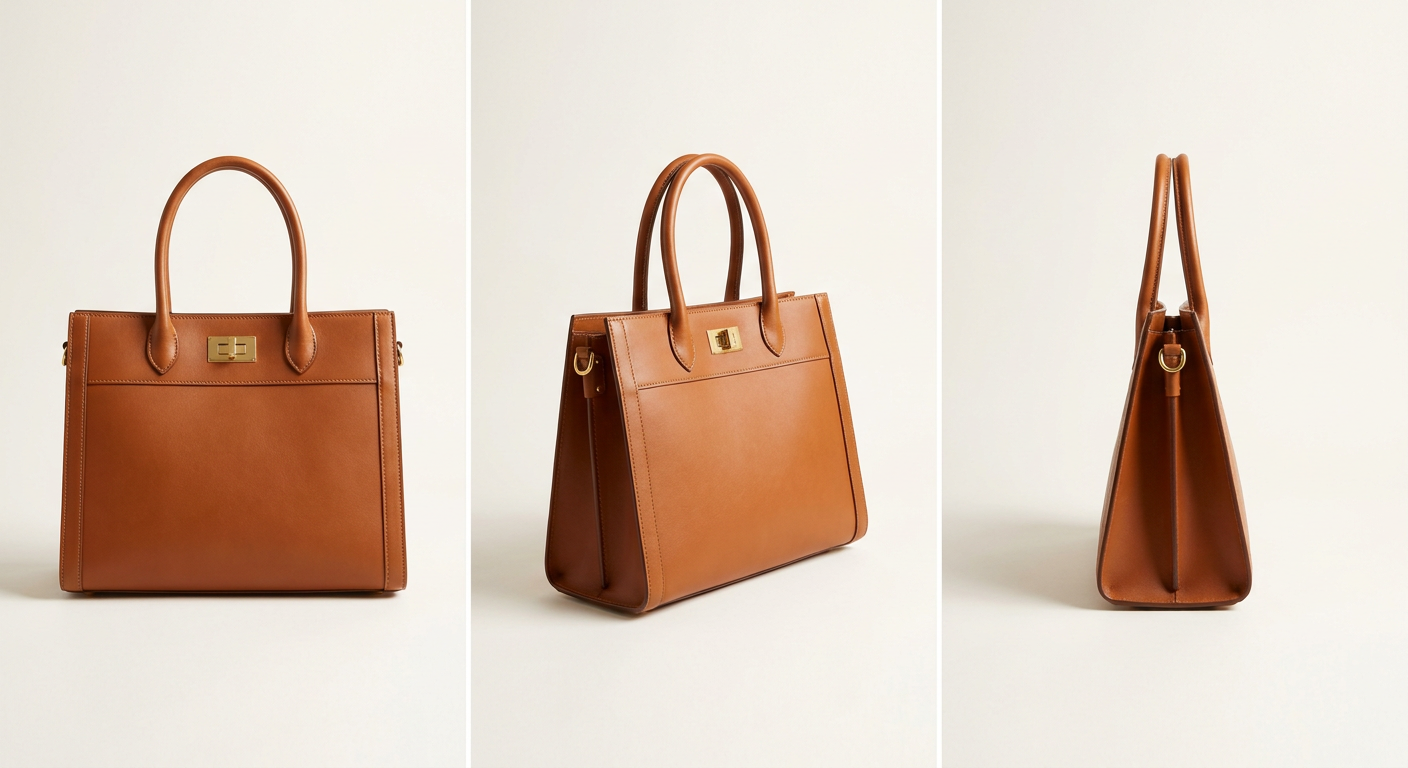
Side and three-quarter angles reveal depth, thickness, and form. These qualities build buyer confidence before the purchase. These views are especially powerful for packaged goods, electronics, and footwear.
Prompt 4 — Classic 45-degree: "Three-quarter angle ai product photo of [product], shot from slightly above eye level, clean light grey background, soft shadows grounding the product, high-detail commercial photography style"
Prompt 5 — Right-side profile: "Right-side profile product shot, [product] on white acrylic surface, rim lighting from behind creating a subtle glow on the edge, crisp focus, e-commerce optimized"
Prompt 6 — Dynamic 3/4 with props: "Three-quarter angle product photography of [product], styled with complementary botanical props, natural linen background, warm afternoon light, organic brand aesthetic, no busy distracting elements"
Rotating perspective by just 15 degrees can transform a flat-looking shot into a dimensional image.
Overhead and Flat-Lay AI Product Photo Prompts for Scroll-Stopping Content
Overhead shots are the signature of lifestyle brands, beauty companies, and food sellers. A strong flat-lay ai product photo creates scroll-stopping content for Instagram, Pinterest, and homepage banners.
Prompt 7 — Minimal flat lay: "Overhead flat-lay ai product photo, [product] centered on white marble surface, single complementary prop, soft even lighting, top-down 90-degree angle, clean editorial style"
Prompt 8 — Seasonal styled: "Top-down product photography, [product] surrounded by seasonal elements (dried flowers, autumn leaves), textured linen background, warm golden-hour light, lifestyle magazine aesthetic, no artificial looking elements"
Prompt 9 — Grid pattern: "Bird's-eye-view product shot, multiple units of [product] arranged in a symmetrical grid pattern, pastel background, flat lighting, graphic design-inspired composition, e-commerce banner format"
Flat-lay composition rewards intentionality. Always specify the number of props and their relationship to the hero product. "One complementary prop" produces very different results from "styled scene with multiple accessories." Precision is the difference between a curated editorial feel and visual clutter.
360-Degree AI Product Photo Coverage: 3 Prompts for a Complete Angle Set
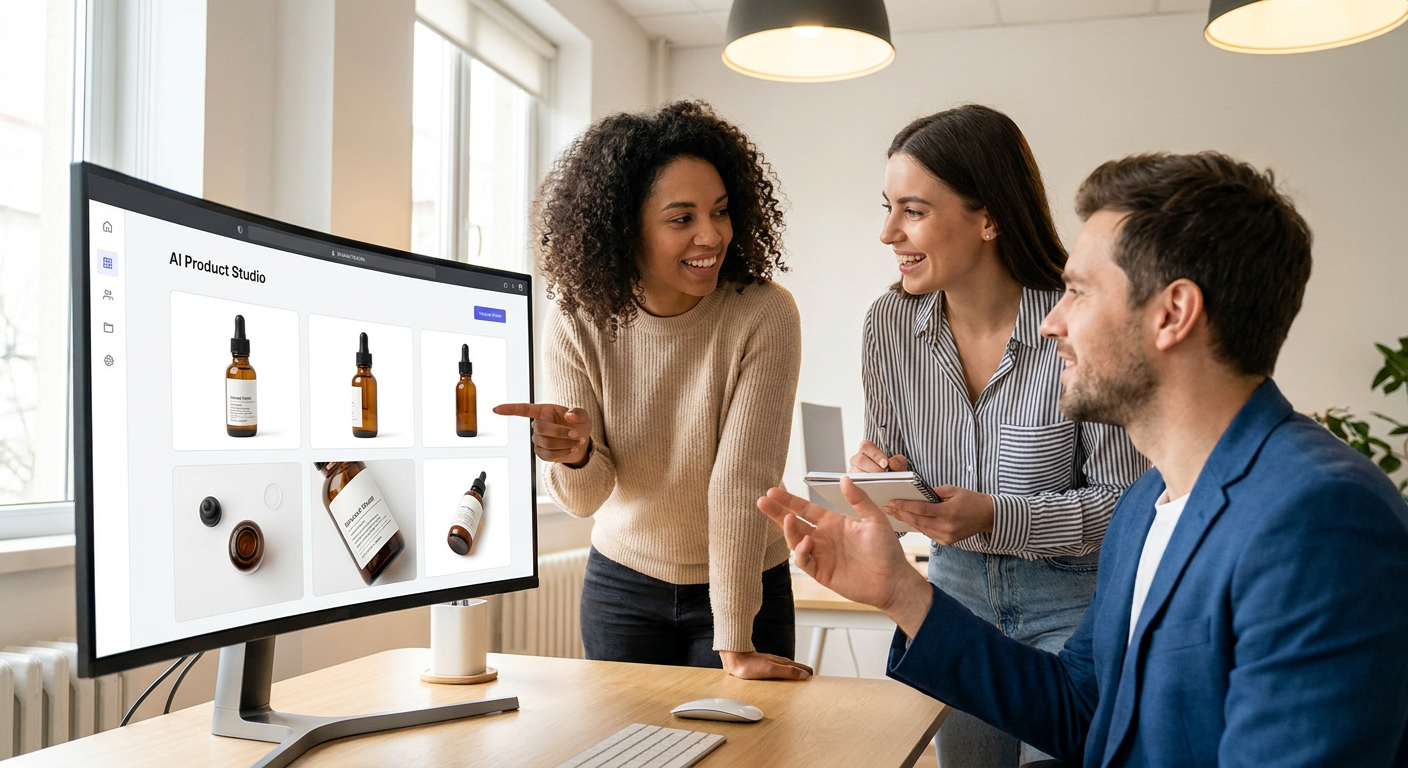
Covering every angle — front, side, back, overhead, and close-up detail — is the gold standard for high-converting product pages. Research consistently shows that listings with six or more images outperform those with two or three. Here are three prompts built for full-coverage sets.
Prompt 10 — Back label shot: "Rear-facing product photograph, [product] back panel in sharp focus showing ingredients or instructions, clean white studio background, neutral top-down lighting, pharmaceutical-grade clarity"
Prompt 11 — Close-up detail: "Extreme close-up ai product photo of [product] surface texture, macro lens perspective, soft studio lighting revealing material quality, ultra-sharp focus, premium brand feel, no excessive depth-of-field blur"
Prompt 12 — Low-angle hero: "Low angle product shot looking up at [product], dramatic perspective emphasizing height and scale, gradient studio background transitioning from white to light grey at top, aspirational commercial feel"
Once you have individual angle prompts working, Framia Pro's 360 product photography AI tool automates the full rotation cycle. Upload one base image and generate a complete angle set — front, side, 45-degree, overhead — in a single workflow, maintaining consistent lighting and scale across every view.
How Framia Pro Powers Your AI Product Photo Workflow
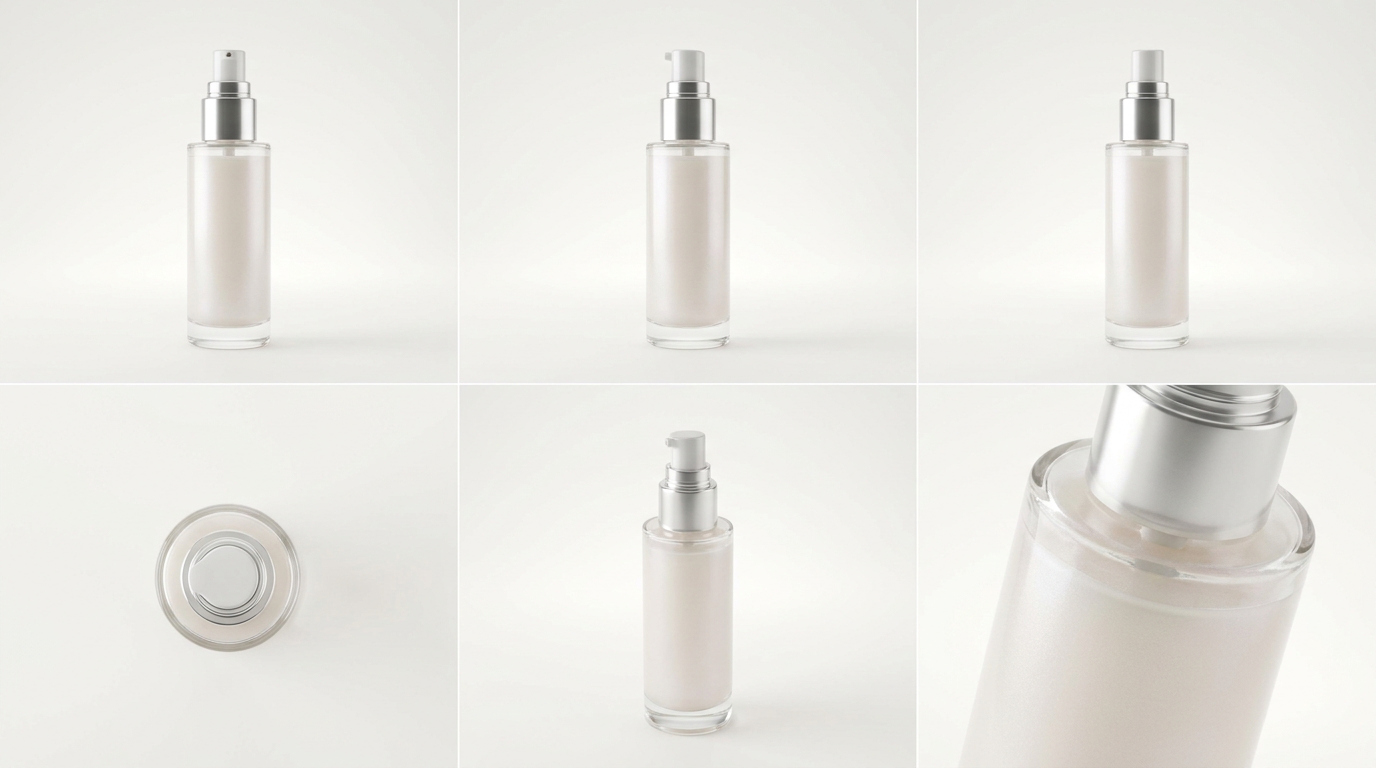
Framia Pro was built for sellers and creative teams who need high-volume, high-consistency ai product photo output without a photography budget. The platform's Angle Control module processes uploaded product images and generates new perspectives algorithmically. It preserves brand-accurate colors, shadows, and backgrounds across the entire set.
The workflow is straightforward. Upload your best existing product photo into Framia Pro. Select the target angles — three-quarter, overhead, 45-degree low angle — and the AI generates each view at e-commerce resolution. The result is a complete image set from a single source file, ready to populate Amazon listings, Shopify galleries, and ad creatives.
Framia Pro also integrates with image editing tools for final retouching, background swapping, and lifestyle compositing. If you want to go deeper on the post-production side, this guide on AI image editing for product photos covers the full retouching pipeline.
For teams producing hundreds of SKUs, Framia Pro supports batch processing. Upload a folder of products and generate complete angle sets overnight. That kind of throughput would require a full studio day per SKU with traditional photography.
Tips to Get Better Results From Every AI Product Photo Prompt
Getting consistent, publish-ready results from ai product photo prompts takes a bit of craft. Three principles separate amateur outputs from commercial-grade imagery.
Be specific about light. Vague terms like "good lighting" produce inconsistent results. Instead, write "soft diffused studio lighting from upper-left at 45 degrees" or "golden-hour natural light from a large north-facing window." The more precise you are, the more repeatable the output across a product catalog.
Name your background material. "White background" is a starting point. "Brushed white concrete surface" or "light grey seamless paper backdrop" gives the AI a physical material to render. This detail prevents plastic-looking or digitally flat surfaces that undermine an otherwise strong shot.
State what you do NOT want. Including negative descriptions — "no harsh shadows, no lens flare, no motion blur, no artificial HDR processing" — pushes the model away from common failure modes.
Precise prompts give you creative control. A tool like Framia Pro adds production speed — the two things traditional product photography forces you to choose between.
Change Product Photo Angles Online — Without Re-Prompting
Prompts get you in the door. Once you have a base image that nails your product's look — the right lighting, the right background, the right level of detail — the challenge is what comes next. You need to extend it across every angle without rebuilding from scratch each time.
Framia Pro's angle control tool is built for exactly this step. Upload a product image you're satisfied with, select your target angles, and the tool generates each view with matched lighting, background, and color. No re-describing required. No inconsistency between shots.
This is the fastest path from a single strong image to a complete angle set. If you've already found a front-facing prompt that works, you don't need to rebuild the visual identity for every subsequent angle — you lock it in once and let the angle control tool handle the variations. The result is a more cohesive, faster-to-produce image set than running separate text prompts for each position.
It's a natural next step after working through the prompts in this guide: use the prompts to establish your look, then use the angle control tool to scale it across your full rotation.
FAQ
What is an AI product photo prompt?
An ai product photo prompt is a text description you write to instruct an AI image generator. It specifies the product, shooting angle, background, lighting, and style. The more detail you include, the more predictable and consistent your outputs become across an entire catalog.
How long should an AI product photo prompt be?
Effective prompts typically run 20 to 50 words. Shorter prompts leave too much to chance; very long prompts can confuse the model. Focus on the four essentials: angle, background, lighting, and style.
Can I reuse prompts across different products?
Yes. The best approach is to create a base prompt template with placeholders for product name, color, and material, then adapt it for each SKU. This keeps your image set visually consistent across an entire catalog and speeds up production significantly.
Which angle is best for an AI product photo?
It depends on your category. Front-facing shots maximize label visibility and work best for packaged goods. Three-quarter angles show depth and work well for electronics and footwear. Overhead shots excel for beauty, food, and lifestyle brands. A complete product page uses all three.
Does Framia Pro support custom prompt inputs?
Framia Pro's Angle Control module works from uploaded images rather than text prompts — you provide a product photo and the AI generates new angles. This means your results are grounded in your actual product, not a generative interpretation, producing more accurate and brand-consistent outputs than text-only generation.
Conclusion
The difference between a forgettable ai product photo and a scroll-stopping one usually comes down to the prompt. Use the 15 prompts in this guide as starting templates, customize them to your product and brand style, and test multiple angle variations for each SKU. For sellers who want to move beyond individual prompts to systematic angle coverage, Framia Pro's AI product image generator turns a single uploaded image into a complete multi-angle set — no studio, no turntable, no reshoots needed.