Someone once described the sound they wanted to a musician: "it should feel like driving through a desert at dusk, windows down, not sad exactly but kind of wistful." The musician knew what to do with that. An AI song generator knows what to do with that too — but only if you know how to phrase it.
The gap between "I know what I want" and "I can describe it clearly enough for the AI to hear it" is where most prompts break down. Framia Pro's AI music generator has tracked this consistently across users trying different AI song generators: the tool isn't the bottleneck. The prompt is.
This guide is about closing that gap.
Why Most AI Song Generator Prompts Fail Before They Start
The most common failure mode isn't a bad prompt — it's a vague one. "Make me a song that sounds good for my brand" gives an AI song generator almost nothing to work with. "Good" and "brand" are subjective containers. The AI fills them in with whatever it infers from context, which is often generic.
The second failure mode is over-specification in the wrong dimension. "I want it in G minor, at 110 BPM, with a 4/4 time signature" is technically specific but emotionally empty. Unless you're producing music for an exact technical requirement — syncing to a specific video frame rate, matching a pre-existing track's key — those details matter less than mood, energy, and context.
You don't need street names to give someone directions — "near the waterfront, the building with the red roof" gets the job done just fine. Music prompts work the same way. Describe what's recognizable about the sound you're after, not the technical coordinates only a producer would care about.
The Three-Layer Structure Every AI Song Generator Responds To
Most strong prompts contain three distinct types of information. You don't need all three for every generation, but prompts that include all three tend to land closer to the target on the first try.
Layer 1: Emotional atmosphere This is what the music should feel like, not what it should sound like. "Warm and nostalgic" is emotional atmosphere. "Tense and cinematic" is emotional atmosphere. "Playful and slightly absurd" is emotional atmosphere. This layer gives the AI song generator its most important instruction — the feeling the output needs to produce.
Layer 2: Context and purpose Where will this music live? A 30-second product video has different requirements than a 3-minute podcast intro or a looping background track for a waiting room. Specifying "background music for a real estate walkthrough video" or "upbeat YouTube outro, 15 seconds" shapes tempo, energy arc, and structure without requiring you to specify those technically.
Layer 3: Stylistic reference One or two genre or style cues help the model anchor the sound. "Lo-fi," "cinematic orchestral," "stripped-down acoustic," "90s pop," "corporate motivational" — these are shorthand that AI song generators interpret reliably. More than two or three style references create confusion rather than precision; pick the most distinctive one.
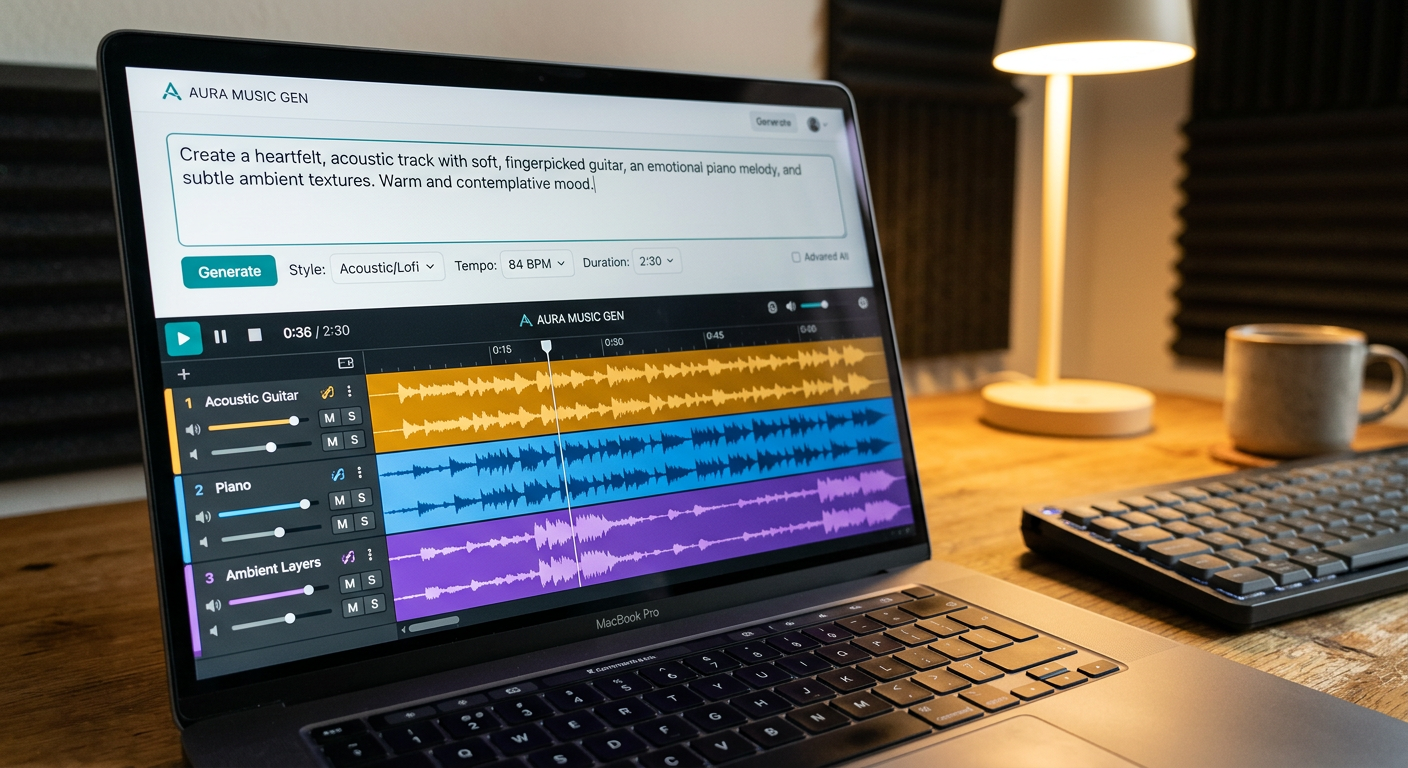
A complete prompt using all three layers might look like: "Nostalgic and slightly melancholic, for a short documentary about a closing family restaurant, acoustic guitar and soft piano, nothing too heavy." That's a prompt an AI song generator can work with precisely because it describes a feeling, a context, and a sound — not a technical specification.
How to Prompt an AI Song Generator for Different Content Formats
The same basic approach — feeling, context, style — applies across content types, but which one you lead with shifts depending on what the music will accompany.
For video content (social media, ads, product demos): Lead with energy and pacing. Video music needs to match the cut rate and visual energy of the content. "Fast-paced and energetic, for a 30-second sneaker ad, punchy beats, no vocals" tells the Suno v5 model what momentum to hit. For slower content, "relaxed and unhurried, background music for a cooking tutorial, acoustic folk" gives the same kind of directional clarity.
For podcasts and audio content: Lead with texture and restraint. Podcast music needs to stay out of the way of the spoken content. "Subtle and unobtrusive, podcast intro and outro, lo-fi instrumental, fades cleanly at both ends" is stronger than "good music for a podcast." For branded podcast themes, adding the tone of the show helps: "professional but approachable, for a business podcast about small business finance, light jazz-inspired, no percussion."
For background and ambient use: Lead with continuity. Background music needs to loop seamlessly or sustain without becoming distracting. "Atmospheric and minimal, suitable for a loop, no strong melodic hooks, ambient piano and soft strings" produces different results than a track that builds and releases. Specifying "no strong hooks" or "designed to loop" helps the AI song generator understand the music should fade into the background rather than demand attention.
For branded content with lyrics: Lead with character and message. If you need lyrics, describe the character speaking them and what they should communicate — not the words themselves. "A friendly, confident voice singing about a new coffee shop in the neighborhood, chorus should feel like an invitation, warm and welcoming" gives the AI room to write coherent lyrics rather than forcing you to pre-write them.
For beat-driven content (hip-hop, trap, lo-fi, rap): Rhythm-forward genres require a different prompt emphasis. Lead with the rhythmic character, not the atmosphere: "heavy 808 bass, trap hi-hat pattern, dark and aggressive" or "chill lo-fi beat, dusty drum samples, slow tempo." For artists working with rap vocals, describe the instrumental as if you're briefing a producer: "sparse beat with space for a rapper, punchy kick, reverb on the snare." Framia Pro's AI beat maker is built specifically for this — percussive, rhythm-first generation where the groove carries the track, not just supports it.
Common Prompt Adjustments That Fix Specific Problems
Most first outputs are close but not quite right. Here's a map of common problems and the prompt adjustments that fix them:
Problem: The music feels generic or interchangeable. Fix: Add a specific emotional detail. Take "upbeat corporate" and push it further — "upbeat corporate but with a hint of playfulness, not a bank ad, more like a startup welcome video."
Problem: The energy is wrong — too fast, too slow, too busy, too sparse. Fix: Use explicit energy language, not tempo numbers. "Slower and more spacious," "builds gradually rather than hitting hard from the start," "sparse in the first half, fuller in the second."
Problem: The vocals are wrong — wrong register, wrong style, wrong energy. Fix: Describe the voice character, not the voice type. "Sung by someone who sounds like they mean it but aren't performing," "casual and conversational rather than polished," "warm and unhurried, not pop-trained."
Problem: The instrumentation is distracting from the main content. Fix: Name what should be in the background, not the foreground. "Piano carries the melody, everything else supports without competing," "guitar-based but the guitar should stay subtle."
How Framia Pro's AI Song Generator Handles Iterative Prompting
All of this iterating gets harder to track the more versions pile up. By the fourth pass, most people can't remember exactly what version two sounded like or which word in the prompt got them there. Framia Pro's AI music generator keeps the full prompt history in session, so when the second version turns out to be the closer one, you can just pull it back up and branch from it, not rebuild it from memory.
This matters most for prompts that require precision. When you're producing ad music that needs to hit a specific emotional note — not just "energetic" but "energetic in a way that communicates reliability, not recklessness" — the difference between iterations often comes down to one or two word changes in the prompt. Framia Pro's session context makes those changes trackable rather than something you have to reconstruct after the fact.
Among the models available, Suno v5 handles vocal songs with structured lyrics and consistent character particularly well — it's the model most likely to produce a coherent first verse and chorus from a detailed character and message prompt. For instrumental work, Mureka v7.5 tends to produce cleaner mixes in the ambient and lo-fi categories.

The Music You Can Hear in Your Head Is Describable
Most people who get stuck on AI song generator prompts aren't stuck because they don't know what they want. They're stuck because nobody handed them a way to put that knowledge into words the tool can act on. Feeling, context, style — once you've used that a few times, it stops feeling like a formula and starts feeling like just describing music the normal way.
Start with what the track actually needs to accomplish. The words for it are closer than they feel, and framia.pro is a reasonable place to find out once you've got them.
FAQ
What makes a good AI song generator prompt?
A good prompt combines emotional atmosphere (how the music should feel), context and purpose (where and how it will be used), and one or two stylistic references (genre or texture cues). Prompts that include all three elements tend to land closer to the target on the first generation — and are easier to adjust when they don't.
Should I specify BPM, key, or time signature in my AI song generator prompt?
Only if you have a specific technical reason to. For most use cases — background music, branded content, social media audio — mood and context are more useful than technical specifications. The AI song generator handles musical structure from the atmospheric and contextual cues you provide.
How specific should a prompt be?
Specific about feeling and context; general about technical parameters. "Warm and slightly melancholic, for a short film scene set in an empty house, acoustic guitar and minimal piano" is appropriately specific. Adding "in D minor at 72 BPM" adds precision without useful direction unless you're matching a pre-existing element.
What's the fastest way to fix an AI song generator output I don't like?
Identify the one thing that's most wrong and name it precisely. "The energy is right but the drums feel too prominent" is an actionable adjustment. "I want it to sound different" is not. Change one element per iteration so you can track what improved.
Can I use the same prompt structure across different AI song generators?
Yes. Describing feeling, context, and style works reliably across most AI song generators, because that's the information all of them use to generate from. The specific outputs will differ by model, but that basic approach holds up everywhere.