If you have ever stitched together a video project using three different subscriptions — one for stock music, one for AI video clips, and one more for AI images — you know how quickly the workflow turns into a juggling act. Artlist AI tries to solve that by folding AI video, image, voiceover, avatar, and music generation into the same library-style account that creators already know for royalty-free footage and music.
This Artlist AI review breaks down what the platform actually includes, how the credit-based pricing works, and where it holds up well and where it falls short — including how it compares to alternatives like Framia Pro.

What Is Artlist AI?
Artlist AI refers to the AI generation suite built into Artlist.io, the long-running royalty-free stock platform originally known for music, sound effects, video footage, and templates. Rather than launching a separate product, Artlist folded its AI tools — AI video, AI image, AI voiceover, AI avatar, and AI music generation — into the same account and credit pool that subscribers already use for stock downloads.
That positioning matters. Artlist io isn't trying to be a narrow, single-purpose generator; it's aiming to be one subscription that covers both "ready-made" stock assets and "generate it from a prompt" AI outputs. For teams that already license music or footage from Artlist, the AI layer is an incremental add-on. For someone starting from zero, it's worth weighing against dedicated AI-first tools that don't bundle in a stock library you may not need.
Key Features of Artlist AI
Artlist's AI suite spans several generation types rather than a single tool, and all of them draw from one shared credit allowance:
- AI video generation — text-to-video and image-to-video clips built for short-form and social-first edits, with a handful of underlying model options depending on plan tier.
- AI image generation — text-to-image creation for thumbnails, social graphics, and concept art, generally usable as a standalone still or as a source frame for AI video.
- AI voiceover — synthetic narration in multiple languages and voice styles, aimed at replacing traditional voice-talent bookings for quick-turnaround edits.
- AI avatar — talking-head style presenter videos generated from text or audio scripts, useful for explainer and product-style content without filming a real person.
- AI music generation — prompt-based instrumental track creation, sitting alongside Artlist's much larger pre-made royalty-free music catalog.
- Shared credit system — every generation type pulls from the same monthly credit pool, so heavier video usage in a given month leaves fewer credits for image or voiceover work.
- Commercial licensing — outputs are generally cleared for commercial use under the plan's license terms, consistent with Artlist's stock-library licensing model.
Because everything shares one credit pool, the practical ceiling on how much AI video generator or AI image generator output you can produce depends heavily on which plan tier you're on.
How to Use Artlist AI
Getting from idea to finished clip inside Artlist AI generally follows a short, repeatable workflow:
- Pick a generation type. Choose AI video, AI image, AI voiceover, AI avatar, or AI music from the dashboard depending on what the project needs.
- Write or refine a prompt. Describe the scene, style, voice, or musical mood in plain language; some modes also accept a reference image or script as input.
- Set generation parameters. Adjust duration, aspect ratio, resolution, or voice/style options exposed for that specific tool.
- Generate and review outputs. The system returns one or more variations; review them against your brief before committing credits to a re-run.
- Download and license for use. Export the final asset, confirm it falls under your plan's commercial license terms, and drop it into your existing edit.
Because every step draws from the same shared credit pool, it's worth roughly planning which generation types a project needs before you start experimenting, rather than burning credits on trial-and-error across every tool at once.
Artlist AI Pricing
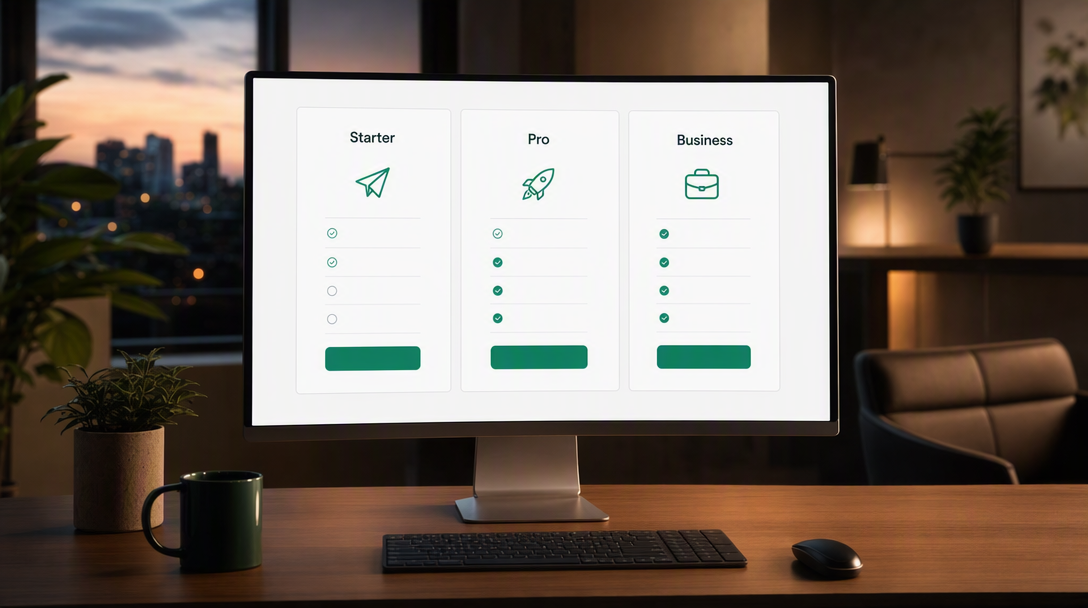
Artlist prices its AI suite through tiered subscriptions that bundle AI credits with its existing stock-library access, rather than selling AI generation as a standalone product. As of early 2026, the general shape of artlist pricing looks like this (always confirm exact figures on Artlist's own pricing page, since credit allotments and tier names shift periodically):
| Tier | Who it's for | What's typically included |
|---|---|---|
| Starter / Basic AI tier | Solo creators testing AI features | A capped monthly credit allowance covering AI video, image, voiceover, avatar, and music generation |
| Pro / Growth tier | Regular content creators and small teams | A larger credit pool, faster or higher-resolution generation options, and expanded stock-library access |
| Business / Max tier | Agencies and larger teams | The highest credit ceiling, added seats, and enterprise-style licensing terms |
Two things are worth flagging before you commit. First, since credits are shared across every AI tool, a plan that looks generous for image generation can feel tight the moment you also lean on AI video, which tends to consume credits faster. Second, because Artlist bundles the AI suite with its royalty-free stock library, you're partly paying for the asset catalog even if your main interest is generation.
If your workflow is centered on how much free vs. paid usage you actually need month to month, it's worth thinking in cost-per-generation terms rather than the sticker price of the plan. A lower tier that looks affordable on paper can still run short the moment AI video eats into your monthly credit pool.
Artlist AI Strengths and Limitations
No single platform gets everything right, and Artlist AI is no exception once you look past the feature list.
Strengths:
- One account covers stock music, sound effects, footage, templates, and five different AI generation types — fewer logins and subscriptions to manage.
- Commercial licensing is built into the plan, which removes a common point of confusion for teams new to AI-generated content.
- The AI avatar and voiceover tools give teams a fast way to produce presenter-style video without booking talent or a studio.
Limitations:
- The shared credit pool means heavy use of one AI tool (especially video) can crowd out usage of the others within the same billing cycle.
- Because AI credits are bundled with stock-library access, the effective cost-per-generation can run higher than a tool built purely around AI output.
- Output quality and consistency across five different generation types varies more than what you typically get from a platform that focuses on a single modality end to end.
- Newer or lower-tier plans may cap resolution, generation length, or model access, pushing serious users toward pricier tiers faster than expected.
Top Artlist AI Alternatives for 2026
If Artlist's bundled, credit-shared model doesn't match how your team works, several alternatives are worth comparing — from dedicated single-purpose AI tools to other bundled stock-plus-AI platforms.
Framia Pro
Framia Pro takes a different approach: instead of stitching together separate tools for writing, image generation, video creation, and campaign planning, it brings all of these capabilities into one connected workspace. Fragmented toolchains are often where creative workflows actually break down, so Framia Pro is built around a shared, end-to-end workflow canvas and real-time collaboration, letting teams move from idea to execution without exporting and re-importing between apps. A built-in template library gives every new project a running start.
Key Features:
- Video Generation — A built-in AI video generator for text-to-video and image-to-video clips, created right inside the same project as your images and soundtrack.
- Image Generation — A built-in AI image generator for thumbnails, social graphics, and concept art, with no exporting to a separate app.
- Music Generation — A built-in AI music generator for prompt-based instrumental tracks that drop straight into the same project.
- Team Collaboration — Teammates can work inside the same project in real time, reviewing and iterating on generations together instead of emailing files back and forth.
- Template Library — A built-in library of ready-to-use templates gives campaigns, social clips, and product videos a starting structure instead of a blank page.
It's built for businesses and teams who want one connected workspace instead of stitching together separate apps for writing, images, video, and campaign planning.
Soundstripe
Soundstripe is a music-first royalty-free licensing platform built around a simpler, single-purpose subscription rather than a multi-tool AI suite.
Key Features:
- Curated Catalog — A large, hand-picked catalog of production music and sound effects.
- No-Credit Licensing — Straightforward licensing without a shared AI credit system to manage.
Storyblocks
Storyblocks is a long-standing stock-footage and template library that has layered in its own AI-assisted editing features over time.
Key Features:
- Bundled Downloads — Footage, audio, and template downloads bundled together in a single plan.
- AI Add-Ons — An expanding set of AI editing features layered on top rather than a full five-tool generation suite.
Epidemic Sound
Epidemic Sound is a music-and-sound-effects-first library that many teams pair with a separate, dedicated AI video or image tool.
Key Features:
- SFX Specialist — A catalog built specifically for background music and sound-effects licensing.
- Generation Gap — No native AI video, image, or avatar generation built into the platform.
Envato Elements
Envato Elements is a broad creative subscription bundling stock assets, templates, fonts, and some AI tools under one plan, similar in spirit to Artlist's bundled model.
Key Features:
- Broad Toolkit — Asset variety spanning video, audio, graphics, and design templates in one subscription.
- Layered Extra — AI features sit as an add-on layer rather than being the core product.
Synthesia
Synthesia is an AI avatar and voiceover-focused platform built specifically for presenter-style video content.
Key Features:
- Avatar Library — A large roster of AI avatars and multilingual voice options to choose from.
- Talking Heads — A tighter focus than Artlist's five-tool AI suite, but more specialized for presenter-style video.
Choosing the right fit usually comes down to how your team works: one shared library like Artlist, an all-in-one connected workspace like Framia Pro built for teams, or a lineup of narrow specialists like Soundstripe or Synthesia built around a single job.
Final Thoughts
If you want AI video, image, voiceover, avatar, and music generation folded into the same account as your stock-footage subscription, Artlist AI covers that ground. But if fragmented tools are slowing your team down, Framia Pro is the stronger overall pick: it brings video, image, and music generation into one connected workspace with a shared workflow canvas, real-time collaboration, and a ready-to-use template library — built for teams who want to move from idea to execution without juggling separate apps.
Frequently Asked Questions
Is Artlist AI worth it for solo creators?
It can be, especially if you already use Artlist for stock music or footage. Solo creators who only need one type of AI output (just video, or just music) may find a dedicated tool more cost-efficient since Artlist's credits are shared across all five generation types.
How does artlist pricing compare to buying tools separately?
Artlist bundles AI credits with its stock library, so you're paying for both at once. If you only need AI generation and rarely touch the stock catalog, a focused generator can work out cheaper per output than a bundled plan.
What is the best artlist alternative for AI video specifically?
For a workflow centered on AI video generation, tools built specifically around that use case — such as Framia Pro's AI video generator — tend to offer more predictable credit usage than a shared-pool platform.
Does Artlist AI support commercial use?
Yes, generations are generally covered under the plan's commercial license terms, consistent with how Artlist licenses its stock-library content. Always check the specific license tied to your subscription tier before using outputs commercially at scale.
Can I use Artlist AI without a stock library subscription?
Artlist's AI suite is offered through the same account structure as its stock library, so most plans bundle both rather than offering AI generation as a fully separate, stock-free product. If you specifically want AI-only tools, a dedicated AI video generator, AI image generator, or AI music generator may better match that need.