Turning a blog post or script into a finished video used to mean juggling a script doc, a voiceover recording app, a stock footage library, and an editing timeline — four separate tools before a single frame gets exported. That friction is exactly why text-to-video platforms exist, and it is the gap Fliki AI was built to close.
Fliki AI takes written text and turns it into a narrated video with AI voices, stock visuals, and captions in one pass. Creators comparing options in this space often line it up against tools like Synthesia, Pictory, and Framia Pro, each solving the same "text in, video out" problem with a slightly different mix of avatars, voices, and editing controls. This review walks through what Fliki AI actually does, what it costs, where it holds up, and where it falls short.
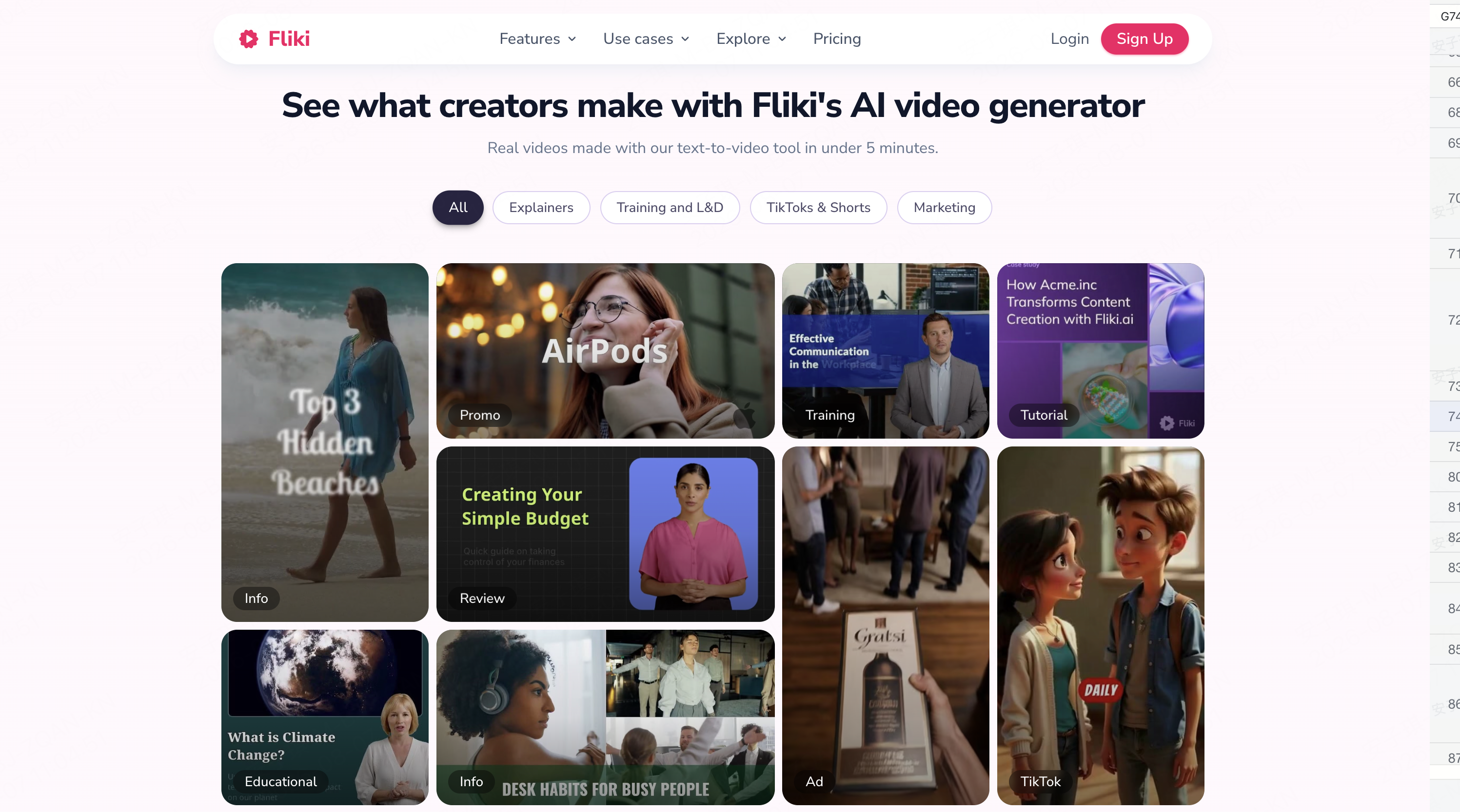
What Is Fliki AI?
Fliki AI is a text-to-video and text-to-speech platform that converts scripts, blog articles, or bullet-point outlines into narrated videos. Instead of recording a voiceover and hand-picking b-roll clip by clip, users paste or write text, choose a voice and visual style, and Fliki assembles a scene-by-scene draft automatically. It is built primarily for content creators, marketers, and educators who need to publish video regularly without a video-editing background.
Under the hood, Fliki AI pairs natural-sounding AI voices with a large stock media library and simple scene editing, positioning it closer to a "script-to-video" assistant than a full nonlinear editor like Premiere or DaVinci Resolve. That focus is also its main trade-off: it is fast for straightforward narrated content, but less flexible for complex, highly custom edits.
Fliki AI Key Features
Fliki AI's feature set centers on five areas that map directly to the "write once, publish everywhere" workflow it promises.
Text-to-video generation. Paste a script or long-form article and Fliki breaks it into scenes, matching each block of text with relevant stock footage, images, or B-roll suggestions. Editing happens at the scene level, so swapping a clip or adjusting timing doesn't require touching the whole timeline, which keeps revisions fast even on longer scripts.
AI voice generation and cloning. Fliki ships with a large library of AI voices across languages and accents, plus a voice cloning option on higher tiers that lets a creator narrate in their own voice without re-recording every video. The broader AI voice space has moved quickly in the last two years — models like Eleven v3 pushed realism and emotional range forward industry-wide, which is part of why Fliki AI's narration sounds noticeably more natural than early text-to-speech tools did just a few years ago.
AI avatars. For creators who want an on-screen presenter without filming themselves, Fliki includes stock and custom AI avatars that lip-sync to the generated voice track, making a "no-camera" production style possible for talking-head content without a studio setup.
Stock media library. A built-in library of video clips, images, and music removes the need for a separate stock subscription for most everyday content — social clips, explainer videos, and short-form marketing pieces.
Translation, dubbing, and captions. Fliki can translate a script into multiple languages and generate matching dubbed audio and captions, which is useful for creators publishing the same video across regional audiences without re-editing from scratch.
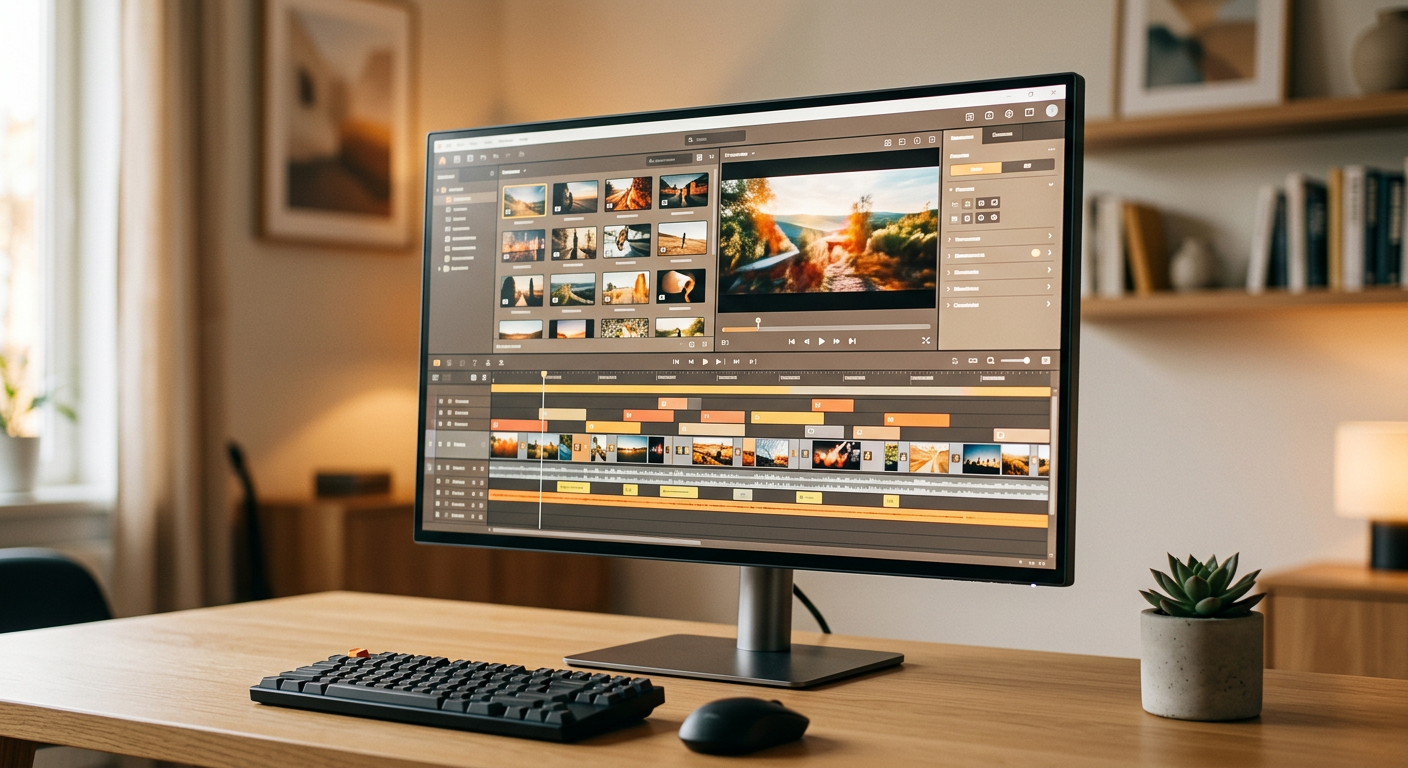
How to Use Fliki AI
Getting a first video out of Fliki AI generally follows five steps, whether the source material is a fresh script or an existing blog post.
- Start a new project and paste or write your script. Fliki also supports importing text directly from a blog URL or document, which saves a rewrite step for creators repurposing existing content.
- Pick a voice and language. Preview several AI voices, select accent and tone, and set the target language if dubbing is needed.
- Choose a visual style. Select stock footage, images, or an AI avatar to visually represent each scene; Fliki suggests matching visuals automatically based on the script text.
- Review and edit scene by scene. Adjust timing, swap a clip that doesn't fit, edit captions, and fine-tune pacing before committing to a final render.
- Export and publish. Download the finished video or push it directly to a connected platform, depending on the plan tier.
Most first-time users can move from a blank script to a rough draft video in well under an hour — a pace comparable to publishing a blog post itself, which is really the point of tools in this category: video production shouldn't take longer than writing did.
Fliki AI Strengths and Limitations
Fliki AI's biggest strength is speed for narrated, scene-based content: blog-to-video conversions, explainer clips, and social snippets come together quickly without a learning curve. The voice library and translation features are also genuinely useful for teams publishing across multiple languages or regions.
The trade-offs show up with more ambitious projects: scene-based editing isn't as flexible as a true timeline editor for tight motion-graphics or multi-track work, longer renders take noticeably more time, and features like voice cloning and higher resolutions sit behind the paid tiers. Fliki AI is built for a specific job — fast narrated video — so it's worth matching the tool to the actual use case before committing to a plan.
Fliki AI Pricing
As of 2026, Fliki AI offers a free tier plus two main paid plans, with a custom option for larger teams:
| Plan | Approx. Price (monthly billing) | Best for |
|---|---|---|
| Free | $0 | Testing the workflow, short low-volume clips with watermark |
| Standard | ~$28/month (lower when billed annually) | Solo creators needing more render minutes and 1080p export |
| Premium | ~$88/month (lower when billed annually) | Voice cloning, expanded voice library, higher render limits |
| Enterprise / Custom | Custom pricing | Teams needing higher volume, collaboration, and support |
Exact pricing and included minutes shift periodically, so it's worth checking current tier details before subscribing — a normal habit for any fast-moving software category, the same way you'd check a subscription's terms before renewing rather than assuming last year's price still applies.

Fliki AI vs Alternatives: Feature Comparison
No single text-to-video tool wins on every dimension, which is why most buying decisions come down to which trade-offs matter most for a given workflow.
| Feature | Fliki AI | Framia Pro | Synthesia |
|---|---|---|---|
| Text-to-video from script | Yes | Yes, avatar and voice bundled into the core workflow | Yes |
| AI voice cloning | Paid tiers only | Included without a separate add-on tier | Paid tiers only |
| AI avatars | Yes | Yes, built-in avatar maker included by default | Yes (strong focus) |
| Multi-language dubbing | Yes | Yes | Yes |
| Stock media library | Large built-in library | Growing library, paired with avatar output | Limited |
| Free plan | Yes, watermarked | Yes | Limited free trial |
Fliki AI leans toward scene-based, script-driven video with a strong voice and stock library. Framia Pro takes a more consolidated approach in the same category, keeping avatar creation and voice generation inside the core plan rather than gating them behind higher tiers — which matters most for teams that want presenter-led output without assembling a separate toolchain. Synthesia, by comparison, leans harder into corporate-style avatar presenters but offers a narrower stock library than either.
Top Fliki AI Alternatives
The right alternative depends on what matters most: bundled avatar production, corporate polish, or straightforward blog-to-video repurposing. Here's how the leading options compare to Fliki AI, starting with the one closest to its own workflow.
Framia Pro
Framia Pro follows the same script-to-video logic as Fliki AI, but consolidates avatar and voice production into one workflow instead of separate add-ons:
- Built-in avatars: a free AI avatar maker is included from the start, so a script can go straight to an avatar-led video.
- Unified voice and video: its AI video generator is paired with a matching text to voice engine, keeping narration and visuals in a single pass.
- Flexible delivery: teams can use stock-footage-style scenes for fast content or switch to an avatar presenter for a more personal, on-camera feel without changing platforms.
- Workflow canvas: image, video, voiceover, and music nodes can be rearranged or swapped visually on one canvas, making it faster to test an alternate version of a scene without rebuilding the whole sequence.
- Shared team workspace: multiple editors can review, comment, and hand off the same project in place, instead of passing files back and forth over email or chat.
Colossyan AI focuses heavily on AI avatar presenters for training and corporate video, with strong lip-sync and multi-language avatar support:
- Presenter-first design: built specifically around avatar delivery rather than stock-footage scenes.
- Corporate training focus: templates and workflows geared toward L&D and internal communications, a good fit for teams prioritizing polished on-screen presenters over stock-footage-style content.
Synthesia is one of the best-known names in AI avatar video, popular for corporate training and internal communications:
- Avatar realism: widely regarded as a leader in avatar quality and lip-sync accuracy.
- Narrower editing: less flexible for stock-footage-driven, scene-based content compared to Fliki AI.
Pictory targets blog-to-video repurposing specifically, similar to one of Fliki AI's core use cases:
- Repurposing focus: built around turning existing articles into short video clips.
- Lighter feature set: fewer avatar and voice-cloning options than Fliki AI or Framia Pro.
Fliki AI Alternative: Where Framia Pro Fits In
Choosing between Fliki AI and Framia Pro often comes down to workflow shape rather than raw feature checklists. Creators who mainly need fast, narrated, stock-footage-driven videos — social clips, quick explainers, blog repurposing — tend to find Fliki AI's scene-based flow a natural fit. Teams that want an on-screen AI presenter as the default output, without bolting on a separate avatar tool later, tend to lean toward Framia Pro instead.
Neither choice is permanent, in the same way picking a first apartment doesn't lock you into a neighborhood forever — most creators end up testing two or three tools on a real project before settling on the one that matches their actual publishing cadence. If avatar-led delivery is the direction a channel is heading, it's worth trialing Framia Pro alongside Fliki AI before committing budget to either.
Final Thoughts
Turning text into video still takes too many separate tools for most creators — and that's the gap Fliki AI closes with its fast, script-to-scene workflow and deep stock library. Whether it's the right long-term fit comes down to one question: is next year's content mostly narration over footage, or a presenter carrying the message on screen? Either way, it's worth a real test run before committing to one platform. Start free at Framia Pro to see how the avatar-led approach compares.
FAQ
Is Fliki AI free to use?
Yes, Fliki AI offers a free plan with a limited number of monthly credits and watermarked exports. Paid plans remove the watermark and add higher render minutes, voice cloning, and expanded voice libraries.
What is Fliki AI best used for?
It's best suited for narrated, scene-based videos such as blog-to-video conversions, social media clips, and explainer content where speed and an AI voice matter more than frame-by-frame editing control.
Does Fliki AI support multiple languages?
Yes, Fliki AI supports script translation along with matching dubbed audio and captions, making it practical for creators publishing the same content across different language audiences.
How does Fliki AI compare to Synthesia?
Synthesia focuses more heavily on AI avatar presenters for corporate and training video, while Fliki AI leans toward scene-based, stock-footage-driven narrated video with a larger built-in media library.
Is there a good Fliki AI alternative for avatar-led video?
Platforms like Colossyan AI and Framia Pro both put more emphasis on AI avatar presenters than Fliki AI does by default, which makes them worth comparing if presenter-led video is the primary goal.